


Picture this: you wake up one morning to find your business's 5-star rating has plummeted. A sudden wave of 1-star reviews, all from names you don't recognize, has hit your profile overnight. This isn't just a bad dream; it’s a tactic many businesses face, but the good news is you can fight back. You have the ability to report fake Google reviews and get them taken down right from your Google Business Profile.
Why You Must Act on Fake Google Reviews Immediately

A bogus review isn't just a minor irritation—it’s a direct assault on your business. Whether it’s coming from a competitor trying to get a leg up, a disgruntled ex-employee, or just a random bad actor, it can cause real damage. Your online reputation is one of your most valuable assets, and a single fraudulent comment can chip away at customer trust, hurt your search rankings, and ultimately, hit your revenue.
The Immediate Business Impact
The fallout from fake reviews is both real and fast. For any local business, that star rating is often the first thing a potential customer sees. A sudden, suspicious drop can make them think twice and send them straight to your competitor down the street. We're not just talking about hurt feelings; we're talking about lost sales.
The numbers don't lie. As of 2025, Google holds about 57–58% of all online reviews, making it the undisputed heavyweight champion. With 81% of consumers turning to Google first when checking out a local business, its power is undeniable. And here’s the kicker: 73% of people only really pay attention to reviews from the last month. That's precisely why you can't afford to let a new fake review sit there.
Taking swift action does two things: it shows legitimate customers you're on top of your game and care about authenticity, and it signals to Google's algorithm that you're actively protecting your brand's integrity.
Protecting Your Digital Footprint
Think of managing your online reputation as an active defense strategy, not a passive chore. When you successfully get a fake review removed, you’re not just tidying up your profile. You’re making your genuine, hard-earned positive reviews stand out even more. The problem of fake profiles and reviews can also have wider consequences for how visible your business is online, a problem we dig into in our report on the impact of fake Google My Business profiles.
This guide is your practical playbook for fighting back. We'll walk you through exactly how to:
- Spot a fraudulent review with confidence.
- Gather the right evidence to build a rock-solid case for its removal.
- Work through Google's reporting process without wasting time.
Mastering these steps means you can regain control, defend the reputation you've worked so hard to build, and make sure your online presence truly reflects the quality of your business.
How to Spot a Fake Review with Confidence
That sinking feeling when a one-star review pops up is familiar to every business owner. But before you jump to respond, take a breath. Your first job is to determine if you're dealing with a genuinely unhappy customer or a complete fabrication. Acting on a gut feeling won't cut it with Google; you need to become a bit of a digital detective.
This isn't about dismissing all negative feedback. It's about learning to spot the tell-tale signs of a malicious attack, and the problem is bigger than you might think. A 2025 study found that around 30% of all online reviews are bogus, and a staggering 82% of consumers have stumbled upon a fake one. Platforms are trying to keep up—Google axed 170 million shady reviews in 2023, a 45% jump from the year before—but plenty still slip through. Your own vigilance is your best defense. If you want to dive deeper, you can discover more insights about the fight against fraudulent reviews and see the full scope of the problem.

Scrutinize the Reviewer’s Profile
The easiest place to start your investigation is the reviewer's profile. Just click on their name. You'd be surprised how often this simple step reveals everything you need to know.
Keep an eye out for these classic signs:
- One-and-Done History: A profile with only one review—the one-star bomb they just dropped on your page—is a huge red flag. Real users tend to have a history, even if it's just a few reviews over several years.
- Impossible Geography: Did the user review a cafe in Paris, a hardware store in Ohio, and your local business all in the same afternoon? Unless they've mastered teleportation, something's off.
- Vague or Generic Names: Be wary of profiles named "A Google User," "John Smith," or a jumble of letters and numbers. These are often burner accounts created for the sole purpose of leaving fraudulent feedback.
One of these signs on its own might not mean much, but when you see two or three together, your suspicion is almost certainly justified.
Analyze the Language and Content
Next, dig into what they actually wrote. The content of the review is a goldmine of clues. Because these people have never actually been your customer, they often fall back on predictable and lazy patterns.
They're usually frustratingly vague. You'll see phrases like "terrible service" or "awful experience" without any specifics. A real, disgruntled customer will almost always give you details—mentioning an employee by name, a particular product that failed, or the date and time of their visit.
A common tactic in fake reviews is the use of overly emotional or aggressive language. While a real customer can be upset, fake reviews often go straight to extreme accusations and personal attacks, lacking the context of a genuine interaction.
Another dead giveaway is when they mention your competition. If a one-star review for your pizzeria ends with, "I should have just gone to Bob's Bistro down the street, they are so much better," you're likely looking at a review from Bob himself (or someone he paid). This is a clear violation of Google's conflict of interest policy.
To make this process easier, here's a quick checklist you can use to evaluate suspicious reviews.
Fake Review Red Flag Checklist
| Red Flag Indicator | What to Look For | Severity Level (Low/Medium/High) |
|---|---|---|
| Profile History | Account has only 1-2 reviews total. | High |
| Reviewer Name | Generic ("A Google User," "Jane D.") or nonsensical name. | Medium |
| Timing | A sudden burst of negative reviews in a short period. | High |
| Content Specificity | Vague complaints with no details (dates, names, products). | High |
| Language | Overly emotional, aggressive, or uses personal attacks. | Medium |
| Geographic Logic | Reviews are for businesses in wildly different locations. | High |
| Competitor Mention | Directly names or promotes a competing business. | High |
| Irrelevant Details | Complains about services or products you don't offer. | High |
While this checklist isn't foolproof, a review that ticks several of these boxes—especially those marked "High"—is almost certainly fake and worth reporting.
Look for Patterns and Suspicious Timing
Sometimes, the issue isn't a single bad review but a coordinated attack. This is what's known as "review bombing," and it's surprisingly common.
Pay close attention to sudden spikes in activity. Did you get five one-star reviews in an hour after months of getting just a few per week? That's not natural. Often, if you read them back-to-back, you'll notice they use very similar phrasing or complain about the same fictional issue.
For example, a local plumbing company might suddenly get a flood of reviews complaining about their "shoddy electrical work." Since they don't offer electrical services, it’s an obvious sign that the reviewers are working from a script and have never interacted with the business. Documenting these patterns is critical, as it gives you powerful evidence when you report the reviews to Google.
Building a Bulletproof Case for Removal
Just flagging a review and hoping for the best is a fast track to disappointment. When you decide to report fake google reviews, remember you're sending a request into a system that handles millions of them. To get noticed, you have to think less like a victim and more like a prosecutor building an airtight case. Your mission is to hand Google's moderators undeniable proof of a policy violation.
This methodical approach turns your plea into a powerful argument. A well-documented case dramatically improves your odds of getting a fake review taken down on the first try, saving you from the slog of appeals and escalations.
Document Everything, and Do It Now
The second you spot a review that seems off, the clock starts ticking. Don't wait. The reviewer could delete their profile or change their post, and your proof vanishes with it. Your very first move should be to grab detailed screenshots.
Don't just capture the review itself. You need the whole picture. Make sure your screenshots include:
- The Full Review: The entire comment, star rating, and the date it was published.
- The Reviewer’s Name and Profile: This is crucial for spotting patterns later on.
- The Reviewer’s Profile Page: This is the goldmine. Click their name and screenshot their entire review history. This is where you’ll often find slam-dunk evidence, like someone who supposedly reviewed a cafe in Miami and a hardware store in Seattle on the same afternoon.
These images are the foundation of your case file. I recommend saving them in a dedicated folder with a clear naming system, something like "FakeReview_ReviewerName_Date."
Check Your Records—This Is Your Silver Bullet
The single most convincing piece of evidence you can have is proof the reviewer was never your customer. This shifts the argument from a subjective he-said-she-said disagreement to a matter of cold, hard fact. Time to dig into your own records to prove your hunch.
Scour your internal systems for any sign of this person. Look everywhere:
- Customer Relationship Management (CRM) software
- Point-of-Sale (POS) systems
- Appointment calendars or email archives
If you come up empty, you've got a powerful case that the review violates Google's policy against content not based on a real experience. Document your search process with a simple note, like: "Searched CRM and POS for 'John Doe' on [Date]; no customer records found."
Key Takeaway: A lack of customer records is your strongest asset. It definitively proves the reviewer had no legitimate interaction with your business, which is a clear violation of Google’s policies.
Track the Attack—Connect the Dots
Fake reviews rarely travel alone. More often, they show up in waves as part of a "review bombing" campaign. Identifying and documenting this pattern is critical, as it shows Google this isn't an isolated complaint but a coordinated, malicious attack.
I always advise clients to create a simple spreadsheet to log every suspicious review. This log helps you step back and see the patterns that a moderator might otherwise miss.
Suspicious Activity Log Example
| Date of Review | Reviewer Name | Star Rating | Key Complaint Phrase | Notes (e.g., Profile Red Flags) |
|---|---|---|---|---|
| 10/26/2024 | Jane Smith | 1-Star | "terrible management" | Profile has only 1 review. |
| 10/26/2024 | Bob Miller | 1-Star | "awful management" | Mentions competitor by name. |
| 10/27/2024 | A Google User | 1-Star | "bad management" | Reviewed businesses in 3 states today. |
This log turns a series of individual gripes into a clear narrative of a targeted campaign. When you submit your report, you can point to this log to show Google the full context. Presenting your evidence this way makes the moderator's job easier, and an easy-to-approve case is far more likely to get a fast, favorable outcome. If you want more guidance on how to structure a compelling argument from your evidence, these legal brief writing tips are surprisingly relevant.
Your Playbook for Reporting Fake Google Reviews
Alright, you've done the detective work and have your evidence ready. It's time to take action. Knowing how to report fake Google reviews isn't just a "nice-to-have" skill; it's a core part of defending your online reputation. There are a few different ways to do this, and knowing which one to use—and when—makes all the difference.
Your mission is simple: make it incredibly easy for a Google moderator to see things your way. You're not just flagging something and hoping for the best. You’re presenting a clear, evidence-backed case that shows a policy was broken.
Your First Move: Flagging the Review Directly
The quickest and most direct route is to flag the review right from your Google Business Profile (GBP) or on Google Maps. This should always be your first step for those single, glaringly fake reviews.
It’s a straightforward process:
- Find the review on your business listing.
- Click the three little dots next to it.
- Choose "Report review."
- Select the violation that fits best—like "Spam," "Conflict of interest," or "Not a real experience."
Think of this as the first alert. It's fast and simple, but you're mostly at the mercy of Google's automated systems and a quick human glance. This is why having your evidence ready is so important if you need to take it to the next level.
The workflow of documenting, verifying, and logging is the foundation for a successful report. This infographic breaks down that simple but critical process.
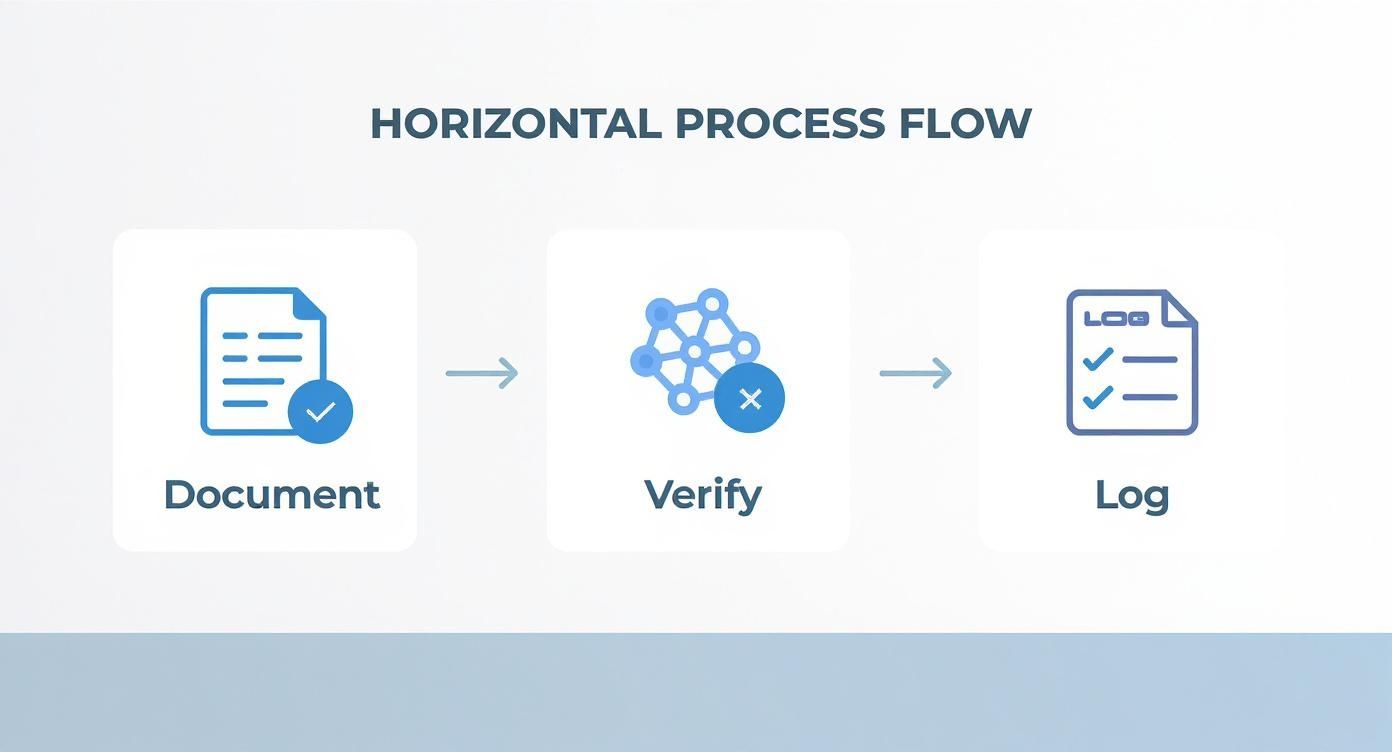
If your initial flag gets denied, you won't be starting from scratch. You'll already have an organized case file ready for escalation.
Going Up the Ladder: The Google Business Profile Support Form
If a few days pass and that flagged review is still staring you in the face, it's time to escalate. Using the Google Business Profile support system lets you file a much more detailed complaint. This is your go-to for more complex situations or when you're facing a coordinated attack from multiple fake accounts.
Here’s where you lay out your evidence. You get to explain exactly why the review breaks a specific policy, referencing the screenshots and customer database checks you’ve already done.
Pro Tip: Don't just write, "This review is fake." That’s a fast track to getting ignored. Instead, tie your argument directly to a Google policy. For example: "This review violates the 'Conflict of Interest' policy. The user specifically names our competitor and has only ever reviewed other businesses in our niche."
When you fill out the form, be direct but thorough. Include the reviewer's name, the date of the review, and the specific policy they've violated. This clarity helps the support team get to the point and act on your request. For businesses getting hammered by these, looking into professional Google My Business content removal services can be a huge relief.
The Expert's Backdoor: The GBP Help Community
So what happens when you’ve flagged the review, submitted a detailed form, and still get denied? Frustrating, I know. But there’s another, lesser-known option: the Google Business Profile Help Community.
This is a public forum where you can post your case and get it in front of volunteer "Product Experts." These folks aren't Google employees, but they have a direct line to escalate obvious, clear-cut cases to Google’s internal teams when the standard system fails.
To get their attention, make sure your post includes:
- Your Business Name and Address: So they can find your profile.
- A Direct Link to the Review: Don't make them hunt for it.
- Your Case ID: This is the reference number from your denied support request.
- Your Evidence: Briefly and professionally explain why the review is a fake, referencing the proof you have.
This channel is perfect for those stubborn cases where a violation is obvious to any human, but the automated filters just aren't catching it.
Comparing Your Reporting Options
Each reporting channel has a specific job. Choosing the right tool for the situation will save you a lot of time and frustration. I've put together this table to help you decide which path to take.
Google Review Reporting Channel Comparison
| Reporting Method | How to Access | Best For | Typical Response Time |
|---|---|---|---|
| Direct Flagging | On the review via GBP/Maps | Obvious, single-review violations like spam or hate speech. | 3-7 business days |
| GBP Support Form | Via your GBP dashboard's Help section | Coordinated attacks or when you have strong evidence. | 5-10 business days |
| GBP Help Community | Public support forum | Escalating denied reports that are clear policy violations. | Varies (days to weeks) |
Understanding these options is critical because the scale of this problem is staggering. In 2020 alone, Google took down 55 million reviews that broke its policies. Some studies suggest that as many as 11% of all Google reviews might be fake, which means millions of businesses are dealing with this every single day.
A solid reporting strategy is no longer optional. And remember, managing your reputation goes beyond just fighting fake reviews. It’s also about proactively optimizing your Google Business Profile to build a strong, positive presence that can better withstand these kinds of attacks.
What to Do When Your Report Is Denied
It’s a feeling every business owner dreads. You’ve found a review you know is fake, you’ve carefully collected your proof, sent it all to Google, and waited. Then the email lands: the review doesn’t violate their policies. It's frustrating, and it happens all the time. But this isn't a dead end. It just means it's time to take the next step.
That initial rejection often comes from an automated system or a quick once-over by a first-level reviewer. Your goal now is to push your case past that initial gatekeeper and get it in front of a real person who can give it a proper look. A denied report is a hurdle, not a stop sign.
Launching Your Appeal
Your first move is to file a formal appeal. When Google denies your request, the notification email will usually include a case ID. This number is crucial—hang onto it. It connects all your communications to the original report, giving the support team a clear history of your efforts.
Filing an appeal isn't just about sending the same info again. This is your opportunity to build a stronger, more compelling case.
- Get Specific: Don't just say the review is "fake." Point directly to the part of Google's content policy it violates. For instance, "This review violates the 'Spam and fake content' policy. We have searched our CRM and payment systems and have no record of a customer with this name or details."
- Bring New Evidence: Have you uncovered anything else since your first report? Maybe you found the same user left identical negative reviews for three of your local competitors on the same day. Screenshot that and add it to your appeal.
- Be Brief and Clear: The people reviewing these are swamped. Get straight to the point. Use bullet points to lay out your evidence cleanly and make it easy to scan.
Think of your first report as your opening statement; the appeal is your closing argument. It has to be airtight, backed by proof, and impossible to brush aside.
When you appeal, you're talking to a different person who didn't see the original report. Make their job simple. Present a clear, logical argument that shows an undeniable policy violation.
Filing a Formal Legal Removal Request
Let's say your appeal gets denied, too. If the review contains outright lies presented as facts that are actively hurting your business—not just someone's negative opinion—you might have grounds for a legal removal request. This is a significant escalation and should only be used for clear cases of defamation.
A legal request is a different beast from a standard report. The burden of proof is much higher. You’re not just flagging a review as suspicious; you're making a formal legal claim that it is defamatory.
The process involves filling out a detailed form for Google’s legal team, and you'll often need to cite specific laws in your country or state that the content breaks. This is where it gets complicated. I'd strongly advise talking to an attorney specializing in internet law at this stage. They can tell you if your case is strong enough and help you draft the takedown notice correctly.
When to Call in the Professionals
What if you're not dealing with one bad review, but dozens? Or what if a single, devastating review just won't come down, no matter what you try? Sometimes, the fight is bigger than a business owner can handle alone. This is when it’s time to think about calling in a professional reputation management service.
Agencies like our team at LevelField live and breathe this stuff. We know the ins and outs of Google's systems and have battle-tested processes for getting tough cases escalated and resolved.
Consider bringing in an expert when:
- You're under a coordinated "review bombing" attack.
- Your own attempts to report fake Google reviews have hit a wall.
- A fake review is causing a real, measurable drop in business.
- You simply don’t have the hours to dedicate to the constant follow-up this fight requires.
Hiring a pro can save you a world of time and stress. It gives you a much better shot at getting that harmful content removed so you can get back to building the reputation you've earned.
Got Questions About Fake Reviews? We’ve Got Answers.
Diving into the world of fake reviews can feel like navigating a maze. It’s completely normal to have questions about what to do, how long it takes, and what the potential fallout might be. Most business owners I talk to have the same handful of concerns when they first decide to report fake Google reviews. Let's cut through the noise and get you some straight answers.
Having a clear picture of the process helps you build a solid strategy instead of just reacting to every negative post. When you understand the timelines and your options, you can protect your reputation with confidence.
How Long Does Google Take to Review a Report?
This is probably the number one question I get. You've flagged the review, and now you're waiting. It can be incredibly frustrating. The honest answer is: it varies. A lot.
For a straightforward case where the violation is obvious, you might see it disappear in as little as 3-7 business days. But don't bank on it. More complex situations, especially if you have to appeal a decision, can easily drag on for several weeks. Remember, Google is dealing with an enormous number of reports every single day, so patience is a must.
This is why I always tell clients to save their case ID the moment they get it. That little number is your lifeline for tracking the report and referencing it if you need to follow up. If two weeks have passed with radio silence, that’s a reasonable time to reach out to Google Business Profile support with your case ID in hand.
Should I Reply to a Review I Think Is Fake?
This is a judgment call, and the right move really depends on the specifics. If you are 100% certain the review is fake—say, someone complaining about a product you don't sell or an event on a day you were closed—then yes, a public reply can be powerful.
The key is to keep it professional and stick to the facts. Something simple like, "We appreciate you taking the time to leave feedback, but we can't find any record of a customer with your name or a transaction matching these details," is perfect. You're not writing for the scammer; you're writing for every future customer who reads that review. It shows you're paying attention and immediately signals that the review might not be legitimate.
Pro Tip: Never, ever get into a public argument. An emotional or defensive back-and-forth will do more damage to your reputation than the fake review ever could. State the facts calmly, and walk away.
On the flip side, if the review is just negative and you're not sure if it's real, your best bet is to respond with a polite offer to take the conversation offline while you investigate.
Can I Sue Someone Over a Fake Google Review?
Technically, yes. If a review contains verifiably false statements of fact that damage your business's reputation, you may have a case for defamation. But I'll be blunt: this should be your absolute last resort.
Litigation is a long, complicated, and very expensive road. The first major hurdle is often just figuring out who the anonymous reviewer is. That alone can require a court order to compel Google to release their information. Before you even consider this, you must speak with an attorney specializing in internet law. They’ll give you a realistic breakdown of your chances, the costs involved, and what a successful outcome might even look like.
Does Reporting Reviews Hurt My Business Profile?
Not at all. In fact, it’s the opposite. The reporting tool is there for a reason—Google wants you to use it to flag content that violates their policies. As long as you're reporting in good faith, your profile is perfectly safe.
You won't face any penalties for flagging reviews that are genuinely problematic. Just make sure your reports are based on clear policy violations, like:
- Spam: Reviews that are clearly not from a real customer experience.
- Conflicts of interest: A review from a competitor or disgruntled former employee.
- Harassment or hate speech: Content that is abusive or threatening.
- Off-topic rants: Reviews that have nothing to do with a customer experience at your business.
Now, if you start flagging every single negative comment you get, you could run into trouble for abusing the system. But using the tool as intended is a vital part of being a responsible business owner. Your efforts help make the entire review ecosystem more trustworthy for everyone.