


That sinking feeling when you see a one-star review pop up is bad enough. But when you realize it’s completely fake? That’s a whole new level of frustration. You can't just let it sit there and poison your reputation. The key is to fight back, but you have to do it the right way. It’s a process of spotting the fraud, building your case with solid evidence, and then using Google’s system to get it taken down. Let’s walk through the entire battle plan.
Why Fake Reviews Are a Direct Threat to Your Business

A single fake one-star review does more than just sting your pride; it's a direct hit to your business's health. Think of it as a digital wound that, if left untreated, can infect customer trust, your search rankings, and ultimately, your bank account. With more than 90% of consumers checking online reviews before even thinking about visiting a business, your Google Business Profile is one of your most critical assets.
I've seen it happen time and again. A thriving local cafe gets blindsided by a sudden burst of one-star reviews. The comments are always vague, posted by brand-new accounts with generic names and no other activity. The damage is almost immediate: online reservations slow to a crawl, regulars start asking what’s going on, and the owner is left putting out fires instead of running their business. This isn't just a worst-case scenario; it’s a daily reality for thousands of businesses.
The Tangible Business Impact
The damage from a malicious review goes far beyond a lower star rating. It creates a nasty ripple effect that can touch every corner of your operation.
- It Kills Customer Trust: A potential customer sees that negative review and immediately hesitates. It plants a seed of doubt that’s often enough to send them straight to your competitor down the street.
- It Hurts Your SEO: Google's algorithm pays close attention to review sentiment and volume. A sudden flood of negative feedback can signal a bad user experience, and your business can start slipping down in local search results.
- It Crushes Employee Morale: Imagine your team working their tails off to provide great service, only to see a review falsely accusing them of being rude or incompetent. It's incredibly demoralizing.
The fight against fraudulent content is constant. The good news is that Google is seriously stepping up its game to protect the integrity of its platform. This is a huge deal for both businesses and the customers who depend on honest feedback.
Your Immediate Action Plan for a Fake Review
The moment you spot a review that seems off, it's crucial to act fast and stay calm. A quick, methodical approach is your best weapon.
| Action Step | Key Objective | Time Sensitivity |
|---|---|---|
| Do NOT Reply | Avoid validating the review or getting into a public argument. This can hurt your removal case. | Immediate |
| Check Your Records | Verify if the reviewer was a real customer. Look for their name, the details they mentioned, and the date. | Within 1 Hour |
| Screenshot Everything | Capture the review itself, the reviewer's profile, and any other suspicious activity on their account. | Within 1 Hour |
| Flag the Review | Use the "Flag as inappropriate" feature directly on the review as your first official step. | Within 24 Hours |
This proactive stance is absolutely non-negotiable. Google is actively working to combat this problem, blocking or removing a staggering 170 million policy-violating reviews in 2023 alone—a 45% increase from the year before. The financial damage from these reviews can add up quickly. You can even get a rough idea of the potential revenue loss with a fake review financial impact calculator.
Now, let's get into the step-by-step process to navigate Google's system and get your reputation back.
How to Spot and Document a Fake Review
Before you even think about asking Google to remove a fake review, you have to stop and build your case. This is where most people go wrong. Shifting from a gut feeling to a well-documented claim is the single most important step in this whole process. Forget arguing with the reviewer; this is about presenting undeniable evidence to Google’s moderators.
Your job here is to become a detective. You're meticulously gathering proof that shows the review breaks Google’s specific content policies. A vague complaint like "this is fake!" is easy for them to dismiss. A detailed file with clear red flags? That’s much harder to ignore.
Pinpointing the Red Flags of a Fake Review
Fake reviews almost always leave a trail of clues. Once you know what to look for, these phony posts start to stick out like a sore thumb. The key is to analyze both the review itself and the profile of the person who left it.
Here are some of the most common warning signs I see all the time:
- Generic and Vague Language: The review uses empty phrases like "terrible service" or "bad experience" but offers zero specifics. Real customers usually mention a particular product, an employee's name, or a specific incident.
- Irrelevant Details: The review complains about something you don't even offer. A one-star review for a vegan cafe complaining about the steak is a dead giveaway.
- Suspicious Reviewer Profile: This is a big one. Click on the reviewer’s name. Does their profile have no photo, a generic name like "A A," and this is the only review they've ever left? Major red flag. Also, watch out for profiles that have left dozens of one-star reviews for businesses in different cities in a very short time.
- Unusual Timing: Did a burst of negative reviews pop up right after you let an employee go? Or maybe a new competitor just opened down the street? These sudden, coordinated attacks are a classic sign of malicious intent.
Think of each of these as a piece of a puzzle. One red flag might just be a coincidence, but when you start seeing several of them together, you're almost certainly dealing with a fake.
A common tactic we see involves a reviewer leaving a one-star rating with no written comment at all. While frustrating, these are extremely difficult to get removed unless you can prove the user is a fake account or part of a coordinated attack.
Creating Your Evidence File Step by Step
Okay, you've spotted a suspicious review. Now it's time to document everything. This evidence file will be the foundation of your removal request and any appeals you might have to make later. Do not skip this step or rush through it—thoroughness is your best friend here.
First, take a high-quality screenshot of the entire review. Make sure it clearly shows the reviewer’s name, their star rating, the full text of their comment, and the date it was posted. Since you’re likely doing this from a computer, learning how to screenshot on Chrome, including the full-page capture options, is a crucial skill for getting all the details in one shot.
Next, click on the reviewer’s profile and take another screenshot of their profile page. This needs to show their name, their photo (or lack thereof), and the list of their other reviews. This evidence is gold if you suspect the account is a complete fabrication or part of a larger spam network.
This image from Google's own help documentation is a great cheat sheet for the types of content they consider a violation.
Notice how policies like "Spam and fake content" and "Conflict of interest" are spelled out. These give you the exact categories you need to build your case around.
Cross-Referencing and Internal Documentation
With your screenshots saved, your next move is to check your own records. Can you find the reviewer's name anywhere in your customer database, appointment logs, or sales system? Look for any transaction or interaction that matches the reviewer's name or the details they mentioned in their complaint.
Document what you find (or don't find). A simple note like, "Checked CRM and POS system for 'John Smith' for the period of June 1-30, 2024. No record of any customer or transaction found," is incredibly powerful evidence.
This documentation does two things. It makes your case to Google much stronger, and it also creates an internal record of the incident. This becomes really useful if you start noticing a pattern of attacks over time.
Your Guide to Reporting Reviews to Google
Alright, you've done the detective work and have your evidence ready. Now it's time to take that information and formally report the fake review to Google. This is your first real move to get the offending content taken down.
The process itself isn't complicated, but your success really hangs on two things: picking the right violation category and making your case crystal clear.
Remember, you're initially dealing with Google's moderation system—a mix of automated filters and human reviewers. Your job is to make it dead simple for them to connect the dots and see the policy violation. Vague complaints just get lost in the shuffle. A specific, well-documented report is what gets their attention.
The prep work you’ve already done—spotting the review, gathering screenshots, and documenting everything—is the foundation for a strong report.
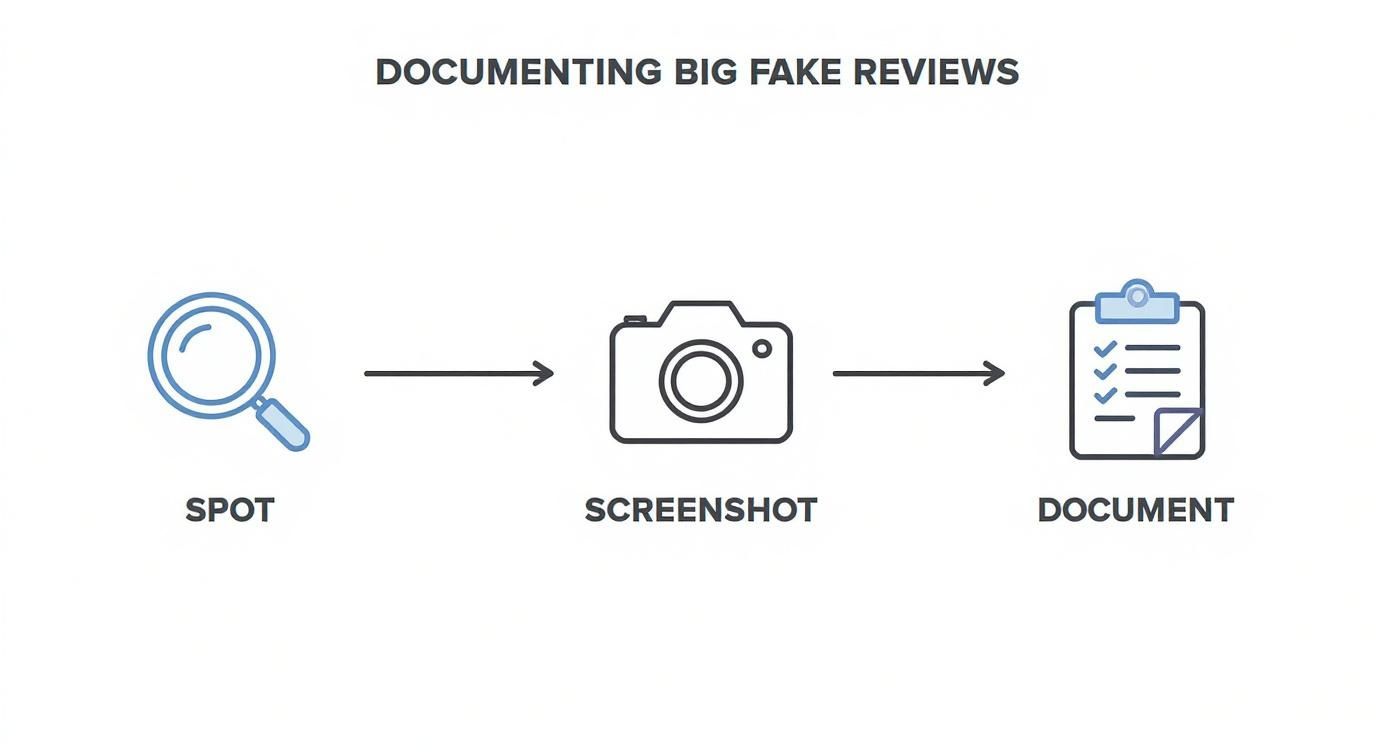
This structured approach turns your frustration into a powerful case file that makes your report to Google significantly more compelling.
How to Flag a Review Directly from Your Profile
The quickest and most direct way to report a review is right from your Google Business Profile. This should always be your first move.
First, pull up your profile and scroll to the review in question. To the right of the reviewer's name, you'll spot three vertical dots. Click on that, and you'll see a small menu pop up.
From there, select "Report review" (Google sometimes words this as "Flag as inappropriate"). This opens a new window where you'll be asked to explain why you're reporting it. This next choice is absolutely critical.
Selecting the Correct Violation Category
Google will give you a list of potential policy violations. Don't just guess. Your choice needs to line up perfectly with the evidence you've gathered.
Here’s a breakdown of the most common categories and when to use them:
- Conflict of Interest: This is your go-to if you suspect the review is from a competitor, a disgruntled ex-employee, or someone paid to leave a negative review. Your evidence of suspicious timing (like a review appearing right after letting an employee go) is key here.
- Spam: Choose this for bot-generated reviews, content that's just an advertisement, or from a user who is clearly carpet-bombing multiple businesses with the same generic comment. Your screenshot of the user’s profile showing this repetitive behavior is your proof.
- Off-topic: This one is for reviews that have nothing to do with your business. Maybe it’s a political rant, a story about a completely different company, or just nonsensical text.
- Hate Speech or Offensive Content: Use this for any review containing threats, slurs, or discriminatory language. These are serious violations and are usually handled by Google with high priority.
Once you’ve picked the best fit, submit the report. It's now in Google's hands.
A word of caution: be precise and honest. If you mis-categorize the report, it's likely to get dismissed. And if a review is just negative but doesn't actually violate a policy, reporting it is a waste of time and could damage your credibility on future, legitimate reports.
Using the Review Management Tool for Tracking
After you flag the review, you're not just left wondering what happened. Google has a handy (and often missed) feature called the Review Management Tool that lets you track the status of your reports.
This tool acts as a dashboard, showing you every review you've flagged and its current status—whether it's "Pending," "Decision made," or "Escalated." It’s incredibly useful because it gives you confirmation that your report was received and is actually in the queue.
To find it, just search "my business" on Google to open your profile manager, head to the reviews section, and look for the option to check the status of your reported reviews. If you find yourself stuck with a stubborn review or the whole process feels like too much, it can be helpful to see how a professional Google My Business removal service navigates these situations.
Once your report is submitted, the waiting game begins. A decision from Google can take anywhere from a few days to a couple of weeks. If they deny your first request, don't give up—that's when you move on to the appeal process.
What to Do When Google Says “No” to Your Removal Request
It’s a gut punch. You’ve done everything right—identified the fake review, gathered your proof, submitted a detailed report—only to get that dreaded email from Google: your request has been denied. It feels like hitting a brick wall, but I'm here to tell you this is far from the end of the line.
Frankly, many initial reports get denied. Think of that first submission as getting past an automated or first-level screener. An appeal is your chance to get your evidence in front of a fresh set of eyes, often a more experienced moderator who can grasp the nuances of your situation. You’ve already done the legwork; now it's about refining your argument so it’s impossible to ignore.
The Official Google Appeal: Your Second Shot
When Google rejects your flag, they usually give you the option to appeal the decision right there in your Google Business Profile dashboard. This isn’t about just resubmitting the same information and hoping for a different outcome. It’s your opportunity to build a much stronger, more direct case.
You need to clearly connect the dots for the moderator, showing them exactly how the review violates a specific policy.
Here’s how I structure my appeals for the best results:
- Lead with your Case ID. Always start by referencing the case ID from your original report. This is non-negotiable; it helps them immediately pull up your history.
- Re-state the violation. Don't be vague. Name the specific policy the review breaks, like "Conflict of Interest" or "Spam."
- Present your proof. This is where your evidence file becomes critical. Attach the screenshots and explain what they show in a single, clear sentence. For example: "Attached is a screenshot of the reviewer's profile showing they left 15 one-star reviews for competing dentists across five states within 24 hours."
- Mention your internal due diligence. Briefly state that you’ve checked your own records. A simple line like, "We have no record of a customer named 'John Smith' in our CRM, payment history, or appointment system for the past 3 years," adds a powerful layer of credibility.
My biggest tip? Keep the emotion out of it. A moderator is looking for a clean, factual policy violation, not a long-winded story about how the review made you feel. Let your evidence do all the talking.
Going Beyond the Standard Appeal
What if the official appeal process fails you, too? Don't throw in the towel. There are a few other channels that can help you get past the automated "no" and in front of a real person who can help.
The Google Business Profile Help Community
Your next best bet is often the Google Business Profile Help Community. It’s a public forum where you can post about your issue and get help from other business owners and official Product Experts—volunteers who are recognized by Google for their deep knowledge.
When you post, be professional. Include your business name, a link to the review in question, your case ID from the denied appeal, and a concise summary of your problem. A Product Expert might just see it and have the ability to escalate your case internally. It’s not a guarantee, but I’ve seen it work wonders for particularly stubborn cases.
Social Media Escalation
Another option is to reach out to the Google Business Profile team on their social media channels, especially on X (formerly Twitter). A polite, public message explaining that you've exhausted the standard appeal process can sometimes get their attention. Their support team often monitors these channels and may ask you to slide into their DMs to resolve the issue privately.
When It's Time for a Legal Takedown Request
In rare situations, a fake review crosses a line. It's no longer just a nuisance; it's actively and illegally harming your business. If a review contains defamatory statements—that is, false claims presented as fact that damage your reputation—you might have grounds for a legal removal request.
This is a serious move and not one to be taken lightly. Before you even think about this path, you need to understand the difference between a negative opinion and actual defamation.
- Opinion (Not Defamatory): "The service was slow and the food tasted terrible."
- Potentially Defamatory: "The owner stole my credit card information and overcharged me."
The first is just an unhappy customer's opinion. The second is a specific, false accusation of criminal activity that causes real harm. Pursuing a legal takedown almost always means hiring an attorney to draft a formal notice. It's the most powerful tool in the box, but it's also the most complex and expensive.
Comparing Your Escalation Options
It can be tough to decide which path to take after your initial request is denied. Each option has its own pros and cons, depending on your specific situation.
| Escalation Method | Best For | Success Rate | Required Effort |
|---|---|---|---|
| Official Appeal | Clear policy violations that were initially overlooked. | Moderate | Low |
| Help Community | Complex cases or when the official appeal fails. | Variable | Medium |
| Social Media | Gaining visibility for a stalled or denied case. | Low to Variable | Medium |
| Legal Request | Reviews containing defamatory, libelous, or illegal content. | High (if valid) | High (requires legal counsel) |
Ultimately, the official appeal should always be your first step. It's the most direct route and often resolves the issue. But if you hit a dead end, knowing about the community forums and legal options gives you a clear plan B and C to protect your business's reputation.
Building a Defense Against Future Fake Reviews

Constantly fighting to get fake Google reviews taken down is an exhausting, uphill battle. While knowing the ropes of reporting and appealing is essential, the real win is building a reputation so solid that a few fake attacks barely make a dent. It's time to shift from a reactive mindset to a proactive one.
Think about it this way: a single one-star fake review is absolutely devastating when you only have ten reviews total. But what happens when that same review is just one among hundreds of glowing, genuine five-star experiences? Its power vanishes. Your best defense is a strong offense—a consistent flow of positive feedback from your actual, happy customers.
This isn't about gaming the system. It's about building a firewall of authenticity that protects your business far more effectively than any removal request ever could.
Encourage a Steady Stream of Genuine Reviews
The most powerful way to neutralize fake reviews is to simply bury them. You’d be surprised how many happy customers are willing to leave feedback; the trick is to make it incredibly easy for them. If it's complicated or takes more than a minute, they won't bother.
Here are a few proven, ethical methods I've seen work time and time again:
- QR Codes at Checkout: Stick a QR code right at your point-of-sale, on the receipt, or on a business card. A quick scan takes a customer straight to your Google review page. No searching, no fuss.
- Personalized Email or SMS Follow-Ups: After a sale or service, send a short, personal message. Ditch the generic "Please review us" and try something like, "We hope you loved the [product/service]. We'd be grateful if you could share your experience on Google to help others find us."
- Website Integration: Add a clear "Review Us on Google" button in your website's footer or on the contact page. It’s a simple, passive way for customers to find the link whenever they're ready.
Just remember, never offer incentives for reviews. That's a direct violation of Google's policies and can get you in hot water. The goal is to make it convenient for people who already had a great experience to share their story. This steady stream of feedback not only insulates you from attacks but also provides powerful social proof that brings in new business.
This "reputation buffer" is the ultimate proactive strategy. When your profile is full of detailed, authentic praise, a vague, one-star attack from a fake account looks exactly like what it is: a bizarre outlier that lacks any credibility.
Set Up Proactive Monitoring and Alerts
You can’t fight what you can’t see. A fake review can sit on your profile for weeks, quietly poisoning customer perception, if you aren't paying attention. Setting up instant alerts for your Google Business Profile isn't optional; it's a must.
This lets you catch and challenge suspicious activity the moment it appears, which dramatically speeds up the removal process.
Most reputation management platforms have this feature built-in, but you can also set up alerts yourself. The important thing is that a new review—good or bad—triggers an immediate notification to you or someone on your team. This instant awareness turns damage control into a state of constant readiness.
This proactive monitoring is a double-win:
- Rapid Response to Fakes: You can kick off your documentation and reporting process immediately, which seriously increases your chances of a quick removal.
- Engagement with Real Customers: It also lets you thank people for positive reviews and professionally address legitimate concerns in negative ones. This shows everyone you're an engaged, attentive business owner.
At the end of the day, knowing how to remove fake Google reviews is just one piece of the puzzle. To truly protect your business, you need to explore broader strategies for building online trust. By combining a solid defense with an aggressive plan for generating authentic feedback, you'll create a powerful shield that protects your hard-earned reputation for years to come.
Got Questions? We've Got Answers
When you're dealing with fake reviews, a lot of questions pop up. It's a frustrating situation, and you need clear answers. Let's tackle some of the most common ones we hear from business owners.
How Long Does This Actually Take?
There's no magic number here, but I can give you a realistic ballpark. After you flag a review, Google's team usually takes a look within three to seven business days. Sometimes, if it's a complicated case or they're swamped, it could stretch to two weeks or even a bit longer.
And if your first report gets denied and you have to appeal? The clock pretty much resets. The key is to be patient and keep an eye on your case status in the Review Management Tool. It's the best way to know where you stand.
Can I Just Pay Someone to Get Rid of a Bad Review?
You have to be incredibly careful with this one. There's a world of difference between a legitimate reputation management service and a scam artist.
A professional firm, like LevelField, plays by the rules. We don't have a "delete button." What we do have is deep expertise in building a rock-solid, evidence-based case that proves a review violates Google's policies. We know how to navigate their system to give your report the best possible chance of success.
On the flip side, you'll find plenty of shady outfits promising guaranteed removals. They often use tactics that can get your whole business profile suspended, like filing bogus legal claims or using bots to spam the report button. If a service guarantees they can remove any review without first analyzing it against Google's policies, run the other way.
A word of warning: if a service promises to remove any negative review for a flat fee, that's a massive red flag. Real experts focus on policy violations. Scammers can get you into even bigger trouble.
What if the Review Is Negative but Actually True?
This is where strategy really matters. Google’s rules are there to fight spam and abuse, not to help you erase every bit of negative feedback. If a customer had a genuinely bad experience and wrote about it, you can't have it removed just because you don’t like it.
In these cases, your power lies in your public response.
- Acknowledge their complaint. Don't argue or get defensive.
- Apologize for the issue. A simple "we're sorry we missed the mark" goes a long way.
- Explain what you're doing about it. "We've since retrained our staff on this..."
- Move the conversation offline. Offer a direct line to a manager to resolve it.
A calm, professional response shows everyone else reading the reviews that you take customer service seriously. It can completely turn around the perception of a one-star review.
Will Deleting My Profile and Starting Over Wipe the Slate Clean?
Absolutely not. Please don't do this. It's a common myth, and it will only cause a bigger headache.
If you delete your Google Business Profile, the reviews don't just vanish into thin air. When you create a new profile for the same business, Google's algorithm is smart enough to figure it out and will likely merge your old profile—and all its reviews—right back onto the new one.
Worse, this can get your business flagged for trying to game the system, which can lead to a suspension. It's a high-risk, no-reward move. The only effective path is to follow the official process to remove fake Google reviews.