


The first step—and honestly, the most critical one—is figuring out if the review actually breaks any of Amazon's rules. Just because a review is negative, scathing, or drops your product's rating doesn't mean you can get it taken down. It has to specifically violate Amazon's Community Guidelines.
Think of it this way: a customer saying "This product broke after one use" is their opinion. But a review filled with profanity, personal attacks, or that's entirely about a shipping delay on an FBA order? That’s a different story.
Knowing When an Amazon Review Can Be Removed
It’s a common mistake for sellers to see a one-star review and immediately assume it can be removed. I've seen it countless times. But Amazon fiercely protects a customer's right to share an honest (even if harsh) opinion about a product.
Your success hinges on learning to distinguish between a legitimate bad experience and a review that genuinely breaks the rules. Wasting time and effort on reviews that are simply negative will only lead to frustration.
Amazon’s dedication to review integrity is a double-edged sword for sellers. They've poured a staggering amount of resources into this, spending over $500 million and employing thousands of people just to fight fraudulent content. You can learn more about fake review statistics and Amazon's actions to get a sense of the scale. This effort helps maintain customer trust, but it also means the bar for getting a review removed is incredibly high.
Grounds for a Successful Removal Request
Before you even think about reporting a review, you need to build your case. You have to pinpoint the exact policy it violates. A vague complaint like "This is unfair" will be ignored instantly. You need to approach this like a detective, matching the review's content to a specific rule in Amazon’s playbook.
Here are the most common violations I see that actually lead to successful removals:
- Promotional Content: The review is essentially an ad. It might link to another product or website, sometimes even a competitor's. For example, "This widget is okay, but I found a much better one at [competitor website]."
- Obscene or Harassing Language: This one is usually pretty clear-cut. The review contains profanity, hate speech, direct threats, or is clearly meant to harass you or another user.
- Private Information: A huge red flag. If a review includes personal details like a full name, phone number, email, or physical address, it's a major privacy breach and a slam-dunk for removal.
- Seller or Shipping Feedback: This is a big one, especially for FBA sellers. If the review is 100% about the shipping experience, the packaging, or your customer service, it doesn't belong on the product page. A review like, "The box was crushed and it took two weeks to arrive," with no mention of the product's quality, should be seller feedback, not a product review.
To make this crystal clear, let's break down what's removable versus what you just have to live with.
Removable vs Legitimate Negative Reviews
| Review Characteristic | Grounds for Removal? | Specific Amazon Policy Violation |
|---|---|---|
| Contains profanity or threats | Yes | Obscene or Harassing Content |
| "Product is terrible, worst I've ever used." | No | This is a legitimate (though negative) product opinion. |
| Includes the seller's personal phone number | Yes | Sharing Private Information |
| "The shipping was delayed by 3 days." (FBA) | Yes | Review is Seller Feedback, not Product Feedback. |
| "This is overpriced for what you get." | No | Pricing commentary is allowed. |
| Links to a competitor's product | Yes | Promotional Content |
Understanding this distinction is everything. It stops you from spinning your wheels trying to fight legitimate criticism and helps you focus your energy where it actually counts—on the reviews that clearly cross the line.
A critical takeaway for sellers: The most common mistake is trying to remove a review simply because it's negative. Instead, shift your mindset to that of a policy enforcer. Your goal isn't to silence criticism but to identify and report content that violates the community standards everyone agrees to.
So, you’ve found a review that clearly breaks the rules. Now what? Waiting for it to magically vanish isn't a strategy. You have to use Amazon's own systems to flag it, and how you do that makes all the difference.
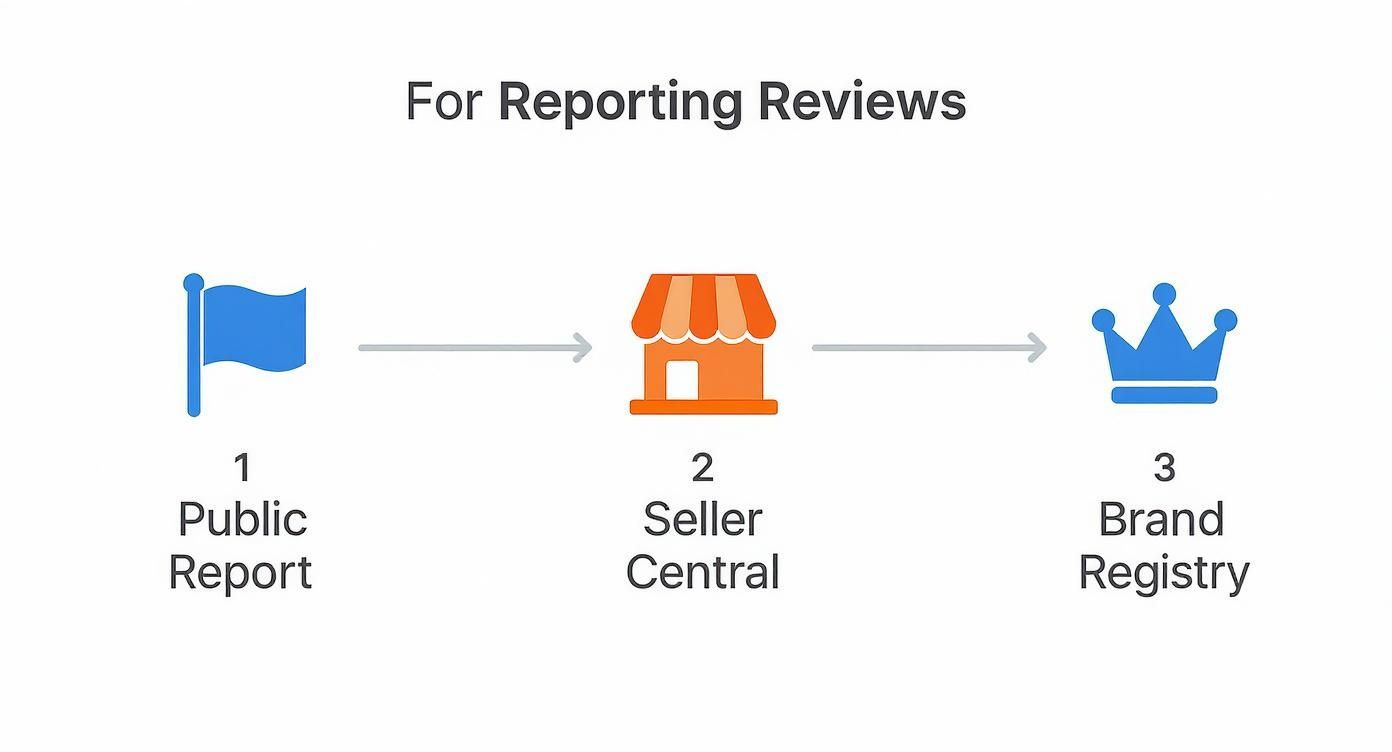
Getting this right is often the deciding factor between getting a bogus review taken down quickly or getting stuck in a frustrating loop of automated responses. Amazon gives you a few different tools for this, and knowing which one to grab for the job at hand will dramatically boost your odds of success.
Your First Line of Attack: The Report Button
Right below every single review, you'll see a small "Report" link. This is your go-to for obvious, clear-cut violations. Think of it as the quick-response button for things that don't need a novel-length explanation to prove they're wrong.
When you click it, you’ll get a simple dropdown menu. Be precise. If the review is just a string of curse words, pick the profanity option. If it's a blatant ad for a competitor's website, flag it as promotional content.
This method works best for slam-dunk violations like:
- Obscene language or hate speech.
- Someone posting a phone number or email address.
- Spammy links trying to lead customers off-site.
Pro Tip: Don't waste the "Report" button on nuanced issues. If you need to explain why a review is actually seller feedback disguised as a product review, this isn't the place. This tool is for the low-hanging fruit; save the complex cases for a formal ticket.
Taking It Up a Notch in Seller Central
For those gray-area reviews that need some context, your Seller Central account is the next logical step. This is where you can open a formal case and actually explain your reasoning to a human being, which is crucial for anything more complex than a simple report. This is the professional path to remove an Amazon review when the violation isn't immediately obvious.
Head over to "Help" in your Seller Central dashboard and follow the prompts to report a violation. When you write your case, keep it simple and to the point.
I've found this structure works wonders:
- Lead with your goal: "I need to request the removal of a product review that violates Amazon's Community Guidelines."
- Give them the details: Provide a direct link to the product and another one straight to the review itself. Make it easy for them.
- Quote the rulebook: Pinpoint the exact policy being violated. For example, "This review violates the policy against Seller Feedback. The entire comment is about a late shipment for an FBA order, which is unrelated to the product."
- Show your proof: Attach a screenshot of the review and maybe even highlight the problematic text.
The key is to be professional and factual. Remove all emotion from your request. Just state the facts, cite the policy, and make it as easy as possible for the support agent to agree with you and take action.
Using Your Brand Registry Clout
If you've gone through the process of enrolling in Amazon's Brand Registry, you've unlocked a much more powerful toolkit. This channel is often a faster and more effective way to report violations, especially illegitimate reviews that are genuinely hurting your brand's reputation.
Inside the Brand Registry dashboard, the "Report a Violation" tool is your best friend. These reports are handled by a dedicated team that's trained to deal with brand protection. This is the place to report more sophisticated attacks, like a coordinated campaign of fake negative reviews. If you find yourself in a really complex fight, a dedicated Amazon content removal service can offer the specialized expertise needed to navigate these official channels effectively.
How Customers Can Edit or Delete Their Own Reviews
Turning a terrible customer experience around is one of the most satisfying parts of running a business. When you genuinely solve a buyer's problem, they're often more than happy to update their review to reflect that. The trick is, most people have no idea how.
They left a review once, and now it feels like it's set in stone.
This is where you can step in. By giving them a simple, clear set of instructions, you remove all the friction. It ensures your hard work doesn't go to waste just because the customer got stuck trying to navigate Amazon's menus. You can literally copy and paste these steps into a message for them.
A Quick Guide for Your Customers
For a customer to change their review, they need to find their public profile page where Amazon keeps a log of all their contributions.
Here’s the path they need to follow:
- First, they’ll need to sign into their Amazon account and hover over "Account & Lists" in the top-right corner.
- From the drop-down menu, they should click on "Account."
- On the "Your Account" page, they need to scroll down to the "Ordering and shopping preferences" box and click on their "Profile."
- This takes them to their public profile, where they'll see a feed of all the reviews they’ve ever written. They just need to scroll to find the one for your product.
Right next to the review, they will see two simple options: Edit or Delete.
This visual shows exactly what they'll see on their profile page, with the "Edit" and "Delete" buttons clearly visible for each review.
It’s a pretty straightforward process once you know where to look.
Quick Tip: Don't forget the clock is ticking. For seller feedback, customers only have 60 days from the date they posted it to remove it. Once that window closes, the option is gone for good. This really highlights why it’s so important to jump on negative experiences right away.
While getting the customer to amend their review is often the quickest path, it's not the only one. For reviews that violate Amazon's policies, you have a few different reporting channels available, from public abuse reports to more formal requests through Seller Central. But when a customer is willing, guiding them through the steps above is almost always the fastest and most effective solution.
Building Your Case to Get a Review Taken Down
Just clicking "report" and hoping for the best is a losing strategy. The secret to getting a review removed comes down to the quality of your evidence. Think of yourself as a prosecutor building an airtight case file. Your job is to make it so blindingly obvious that an Amazon support agent can see the violation and agree with you in under 30 seconds.
A vague complaint will almost always get a canned, automated denial. But a well-documented case with clear proof? That forces a real person to take a look. This means you need to be methodical from the moment you spot a problem review.
This is more crucial than ever, especially as Amazon continues to tighten its systems. For example, they're retiring the old ‘Buyer Reviews’ feature in Seller Central, which is part of a bigger crackdown on review manipulation. That change means you won't be managing reviews in that dashboard anymore, making your initial, well-documented report the most important step.
Mastering Your Documentation
Your evidence needs to be clean, direct, and undeniable. First, grab a full-page screenshot of the review. Don't crop it—you want the Amazon agent to see the date, the reviewer's name, and the product title for full context.
Next, copy and paste the exact text from the review that breaks the rules. Put it directly in your report. This saves the agent from having to hunt for the violation themselves.
Finally, name the specific policy it violates. Don't just say, "This is unfair." Instead, be precise: "This review violates Amazon's policy against Promotional Content because it contains a link to a competitor's website."
Your case file should tell the whole story at a glance. An Amazon agent should be able to open your report, see the screenshot, read the quote, see the policy you cited, and instantly understand the violation. No detective work required on their part.
Spotting a Coordinated Attack
Sometimes the problem isn't one bad review, but a targeted attack from a shady competitor. This calls for a different kind of evidence gathering, where you need to connect the dots and show a clear pattern.
Keep an eye out for these red flags:
- A Sudden Spike: Getting a dozen one-star reviews in a single day is not normal organic behavior.
- Empty Profiles: Click on the reviewer profiles. Are they all brand new accounts with zero other reviews or purchase history? That’s a huge warning sign.
- Copy-Paste Language: Do the reviews use strangely similar phrases or keywords? It often looks like they're working from the same script.
When you see this happening, don't just report a single review. You need to open a detailed case with Seller Support explaining that you believe you're under a malicious attack. Provide screenshots of all the suspicious reviews and highlight the patterns you've found. This shows it’s not just a few unhappy customers, but a serious violation of Amazon's fair competition rules. Building a strong case is a key part of your overall online reputation management strategies.
What to Do When Your Initial Report Is Denied
So, you reported a review, and Amazon shot it down. It’s a common, frustrating experience that feels like you’ve hit a brick wall. But don't give up—that first "no" is rarely the final word.
More often than not, the initial rejection comes from an automated system or a support agent who gave your case a quick, superficial glance. If the violation wasn't glaringly obvious, they simply closed the ticket. A denial just means your first attempt wasn't compelling enough to get past the gatekeepers. It’s time to recalibrate your approach.
Re-Opening a Case with New Evidence
Your best bet is to reopen the case right inside Seller Central, but you can't just send the same message again. That’s a surefire way to get ignored. You have to bring something new to the table that forces a real person to take a closer look.
Think about what was missing from your first report. Did you misinterpret the policy, or could you have explained the violation more clearly? Maybe you’ve since uncovered more evidence. For example, if you initially suspected a competitor left the review, perhaps another one just like it popped up on a different product. That's your new evidence.
When you go back to Amazon, structure your message to be undeniable:
- Reference the Old Case: Start by mentioning the previous case ID so they have context.
- Be Direct: Don't bury the lede. Say something like, "I'm providing new evidence for Case #12345. This review violates the policy against posting seller feedback as a product review."
- Highlight What's New: Clearly spell out your new proof. "Since my last report, I've found two more reviews from brand-new buyer accounts using the exact same language. I've attached screenshots. This points to a coordinated attack."
This methodical approach shows you’re serious and have done your homework. Dealing with Amazon’s appeal process can be tricky, and it often feels a lot like navigating Amazon's reinstatement process when a bigger issue is at stake.
Using Amazon's Formal Legal Takedown Process
Sometimes a review is more than just a policy violation—it's genuinely illegal. For issues like defamation (falsely claiming your product is dangerous) or copyright infringement (a reviewer stealing your product photos), you need to escalate.
Amazon has a formal legal takedown process for these situations. This isn't the same as suing someone; it's an internal channel designed specifically for reports of illegal content. Save this tool for clear-cut legal violations, not just because you think a review is unfair. For a more detailed look at these advanced tactics, our guide on how to remove negative reviews can help.
A word of caution: Use this channel responsibly. Filing a baseless legal claim can backfire and damage your credibility with Amazon. Make sure you have a legitimate legal argument and the evidence to support it before you proceed.
Keep in mind that Amazon is always tweaking how it handles reviews. In one test, they hid review counts on search results for 15.6% of top keywords, which shows they're willing to make big changes to maintain customer trust. This constant evolution is exactly why a persistent and well-documented strategy is your best weapon when you need to remove an Amazon review.
Common Questions About Removing Amazon Reviews
Even when you know the ropes, navigating Amazon's review system can feel tricky. You might still wonder about how long things take, whether you can hire someone to help, or what to do when things get ugly. Let's tackle some of the most frequent questions we get from sellers.
Think of this as a quick-reference guide to clear up any lingering confusion. Getting these details right can save you a ton of time and frustration down the road.
How Long Does It Take for Amazon to Remove a Review?
The honest answer? It depends. For a slam-dunk violation like a review full of swear words or one that includes a customer's home address, Amazon's automated filters often zap it within 24 to 72 hours.
But if the violation is more subtle—say, a product review that's really just a complaint about shipping—it needs a human to look at it. In those cases, you should be prepared to wait. It could take several days, and sometimes up to a week. If you've got a case open in Seller Central and a week goes by with radio silence, it’s perfectly reasonable to send a single, polite follow-up.
Should I Use a Service to Remove Negative Reviews?
Tread very, very carefully here. There are legitimate reputation management agencies, but the internet is also littered with shady services promising "guaranteed review removal." Many of them use black-hat tactics that are a direct violation of Amazon's policies.
Hiring one of these outfits is playing with fire. If Amazon catches you trying to game the system, they could suspend your entire seller account. It’s a massive risk that’s just not worth it.
Your best bet is always to work through Amazon’s official channels. Sticking to the "Report," Seller Central, and Brand Registry tools is the only sustainable way to manage your reputation and remove an Amazon review without putting your business in jeopardy.
What if a Competitor Is Leaving Fake Negative Reviews?
This is a dirty tactic, but unfortunately, it happens. Amazon takes coordinated attacks seriously, but the burden of proof is on you. You need to hand them a rock-solid case.
Start documenting everything the moment you suspect something is wrong. Here’s how to build your evidence:
- Screenshot Everything: Grab images of the reviews and click into the reviewers' public profiles to see their history (or lack thereof).
- Connect the Dots: Are you seeing a pattern? Look for similar weird phrasing, a sudden flood of one-star reviews, or reviewers with brand-new, empty profiles.
- Report Each Review: Flag each suspicious review individually through the "Report" button on the product page.
- Escalate with a Case: Once you've reported them, open one consolidated case in Seller Central. State clearly that you believe you're under a competitor attack and attach all of your screenshots and notes to prove the pattern.
Will Amazon Let Me Know When a Review Is Removed?
Usually, no. Don't expect a notification or an email patting you on the back. More often than not, the review will simply vanish from your product page. The most reliable way to know is to just go check the listing yourself every day or so.
The one exception is if you opened a formal case through Seller Central. In that scenario, you’ll typically get a response that closes the case, which might mention the outcome. But even then, I’d still recommend manually checking the page just to be sure.