


So, you’ve been hit with a fake Google review. The first instinct is usually a mix of frustration and anger, but the best response is a cool-headed, strategic one. Your first and most important job is to figure out if the review actually breaks one of Google’s specific content policies.
This isn't about whether you agree with a bad opinion; it's about proving the content is against the rules.
Unhappy Customers vs. Policy Violations: Know the Difference
Google is big on freedom of expression. That means a genuinely negative review from a real customer—no matter how harsh it feels—is almost never coming down. Your focus needs to be on reviews that are objectively fraudulent or abusive.
You're looking for clear red flags, things like:
- Conflict of Interest: Reviews from current or former employees, business rivals, or anyone with a clear motive to tank your rating.
- Spam and Fake Content: Gibberish, posts from obvious bots, reviews posted in huge batches, or anything with a sales pitch.
- Off-Topic Rants: Content that has zero to do with a customer experience and is instead a rant about politics, social issues, or something completely unrelated to your business.
- Prohibited Content: This is the serious stuff—harassment, hate speech, impersonation, or leaking private information.
By the way, keeping your business information up-to-date is a key part of managing your reputation. Knowing how to optimize your Google My Business profile for local search not only helps customers find you but also gives you more credibility when you have to deal with Google's support teams.
Pinpointing the Exact Violation Is Crucial
Here’s where most businesses go wrong. To get a fake review removed, you have to report it for the correct violation. Just flagging it and saying "this is fake" is a surefire way to get your request denied. You need to speak Google's language.
And this is a massive issue. Some data suggests that around 11% of all Google reviews might be fraudulent. Google knows this is a problem and is constantly fighting back. In 2023 alone, they zapped over 170 million policy-violating reviews. That’s a huge jump from 55 million in 2020. It shows that removals absolutely happen, but only if you play by their rules.
This screenshot from Google's own support page shows you exactly what they look for.
See how specific those categories are? "Harassment," "Hate speech," and "Impersonation" are clearly defined. Your mission is to match the fake review's content to one of these official policies.
Key Takeaway: Think of your removal request as a technical report, not an emotional appeal. Success comes from calmly and accurately identifying which specific rule the review breaks.
To help you get this right every time, I've put together a cheat sheet. It translates common fake review scenarios into the official violation types Google understands. Nailing this step is the foundation of your entire removal effort.
Google Review Policy Violations Cheat Sheet
Use this table as a quick-reference guide to pinpoint the exact violation. It makes building your case much easier.
| Violation Type | What It Means | Example of a Violating Review |
|---|---|---|
| Spam | The content is promotional, posted by bots, or clearly not a genuine experience. | "★★★★★ Best prices on designer watches! Visit www.fake-site.com for a 50% discount today!" |
| Conflict of Interest | The review is from a competitor, employee, or someone with a clear bias. | "★☆☆☆☆ I used to work here and the owner is terrible. Go to [Competitor Name] down the street instead." |
| Off-Topic | The review doesn't describe an experience with the business. | "★☆☆☆☆ I hate the city's new parking meters. This whole area is a mess. One star." |
| Harassment | The review contains personal attacks, threats, or bullying. | "★☆☆☆☆ The owner is a complete idiot and should be ashamed. I hope his business fails." |
| Impersonation | The reviewer is pretending to be someone else or another organization. | "★★★★★ As the CEO of a major corporation, I endorse this business for all your needs." |
Once you've matched the fake review to a specific policy violation, you're ready to move on to the next step: actually reporting it.
Building Your Case for a Successful Removal
Just spotting a policy violation is the first domino to fall. Now, the real work begins: building a rock-solid, evidence-backed case that makes it easy for a Google moderator to see things your way. The goal here isn't to vent or complain; it's to present a clear, logical argument that leaves no room for interpretation.
Think of yourself as a detective putting together a case file. Each piece of evidence you gather strengthens your position and dramatically increases the odds of getting that review taken down.
Gathering Your Evidence
Before you even think about clicking that "report" button, you need to have all your ducks in a row. One of the biggest mistakes I see businesses make is rushing to report a review without any proof. You have to show Google why the review is a problem, not just tell them.
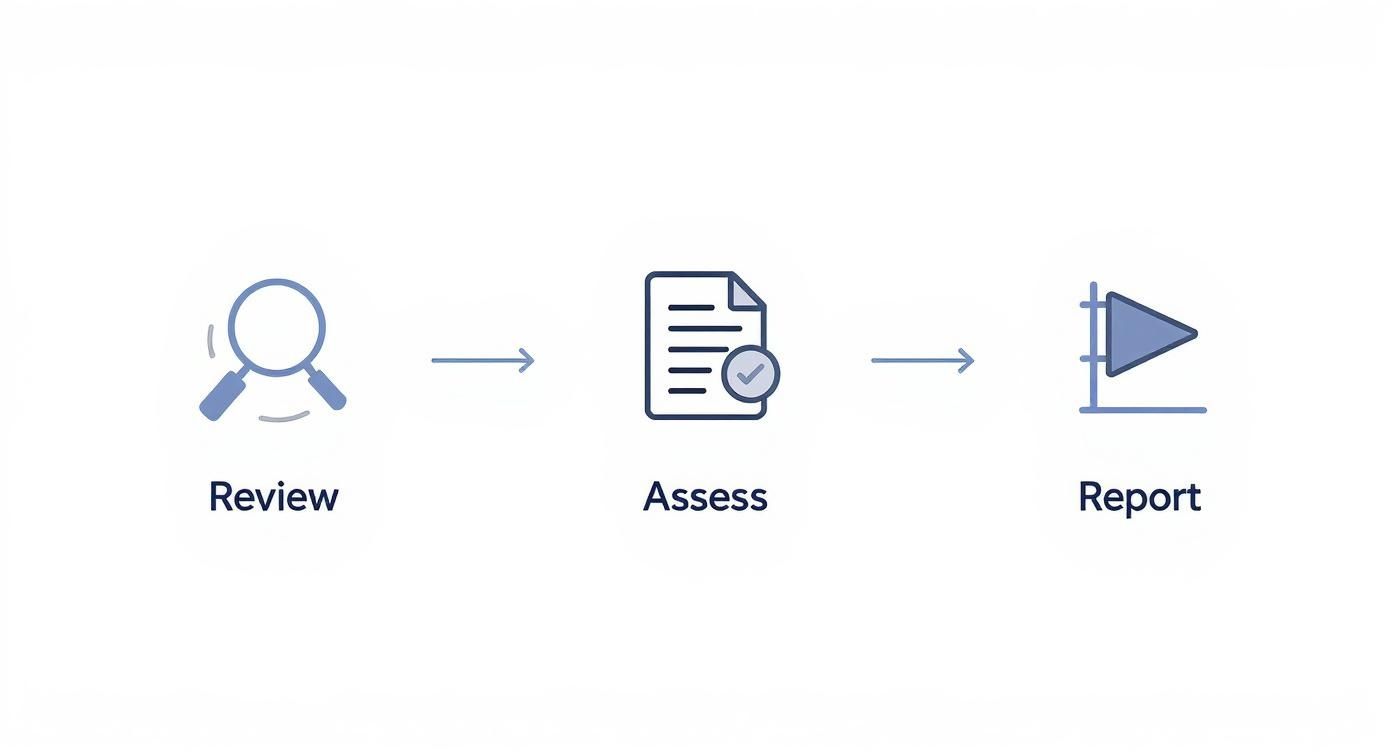
This simple flow is key. You move methodically from seeing the review to assessing it against policy before you act.
To make sure you're fully prepared, I've put together a checklist of everything you should gather before submitting your report.
| Evidence Item | Why It's Important | How to Collect It |
|---|---|---|
| Full Screenshot of the Review | This is your primary exhibit. It captures the reviewer's name, star rating, date, and the full text in one image. | Navigate to the review on Google Maps or Search and take a clear screenshot of the entire review box. |
| Screenshot of the Reviewer's Profile | Provides context. A profile with only one review (yours) or a pattern of bashing similar businesses is a major red flag. | Click on the reviewer's name. Screenshot their public contributions page, showing their review history. |
| Internal Business Records | This is your knockout punch. It proves the reviewer was never a customer, which directly supports claims like "Spam" or "Conflict of Interest." | Check your CRM, booking software, or payment system. Screenshot the search results showing "no record found" for the reviewer's name. |
| Direct URL to the Review | Google needs the specific link to locate and investigate the exact review you're reporting. | On a desktop, click the "Share" button on the review and copy the link. |
| Any Related Communication | If the review is from a disgruntled ex-employee or a competitor, any emails or messages that prove the relationship can be crucial. | Compile screenshots of emails, texts, or social media messages that establish the conflict of interest. |
Having this file ready turns a weak complaint into a compelling case that Google's team can act on quickly.
Submitting Your Report to Google
Once your evidence is compiled, you’re ready to officially flag the review. Google gives you two main ways to do this, and while they both end up in the same moderation queue, it’s good to know both routes.
The most direct path is through your Google Business Profile dashboard. This is your command center for all things Google, and it's generally the most efficient way to manage review issues.
Alternatively, you can flag the review directly from Google Maps. This is handy when you’re on the go and spot a problematic review on your phone.
Pro Tip: When you write your justification, stick to the facts. Don't let emotion creep in. State the specific policy violated and connect it to your evidence. For example: "This review violates the 'Conflict of Interest' policy. The reviewer is a former employee terminated on [Date], as shown in the attached HR record."
What to Expect After You Report
And now, we wait. This is often the most frustrating part because Google's process can feel like a black box. Removals are rarely instant.
In fact, one analysis found that 77.19% of deleted reviews were live for over 10 days before they were removed. A tiny 4.27% came down within the first 24 hours. This tells us that Google's systems and human moderators are taking their time to investigate, so you need to be patient.
It can feel slow, but let the process run its course. Bombarding Google with reports on the same review can backfire and get your flags marked as spam. If you want a more detailed breakdown of the submission process, check out our guide on how to report fake Google reviews.
Building a winning case is all about being methodical. By carefully documenting the details and presenting your evidence clearly, you give yourself the best possible shot at getting that false review removed and protecting your hard-earned reputation.
How to Respond Publicly While You Wait
So, you've reported the false review. Now what? You're stuck in Google's queue, waiting for their moderation team to make a call. But that review isn't in a waiting room—it's live on your profile, for every potential customer to see. This is where your public response becomes your most powerful tool.
Ignoring it is simply not an option. Think about it from a customer's perspective. One study found that 57% of consumers are unlikely to use a business that doesn't reply to reviews. Silence looks like guilt, or worse, like you just don't care. That can be even more damaging than the fake review itself.

Let's be clear: your goal isn't to win an argument with a fake profile. It's a performance for the real customers who are watching how you handle the situation. A calm, strategic reply can completely neutralize the review’s impact and might even build a little trust along the way.
The Golden Rules of Responding
Before you even start typing, take a deep breath and remember these principles. They'll keep you from making a bad situation worse while you work on getting the review taken down.
- Stay Calm and Professional: This is non-negotiable. No sarcasm, no accusations, no defensive rants. Your tone has to be polite and measured, no matter how frustrating the situation is.
- Do Not Admit Fault: This isn't a real customer, so don't apologize for the fabricated issues they mentioned. Saying "we're sorry for your experience" can inadvertently validate their bogus claims in the eyes of other readers.
- Keep It Brief: Long, rambling responses make you look flustered. A short, confident reply shows you're in control.
Crafting the Perfect Response for Different Scenarios
A one-size-fits-all template just doesn’t cut it. The best response depends entirely on the type of fake review you're dealing with. You have to adapt.
Let's walk through a common scenario I see all the time: a review from someone who was never your customer.
Scenario: The "Phantom Customer"
This is a review from a name you can't find anywhere—not in your CRM, your sales records, or your appointment book. The key is to point this out gently, without sounding accusatory.
- Bad Response Example: "We have no record of you! You're a liar and this is a fake review. We reported you."
- Good Response Example: "Thank you for your feedback. We take customer concerns seriously, but we have been unable to locate any record of a customer matching your name or the details of your experience in our system. We would appreciate the opportunity to investigate this further. Please contact us directly at [email address or phone number] so we can resolve this."
This approach does a few things perfectly. It shows you're proactive, it moves the conversation offline (which a fake reviewer will never do), and it subtly signals to everyone else that the claim is unverified.
Key Insight: The public response to a false review is less about the reviewer and more about demonstrating your professionalism to future customers. Your calm and helpful tone is your best defense.
Scenario: The Review with False Information
Sometimes the review contains specific details that are just plain wrong—they mention an employee who doesn't work for you or a service you don't even offer.
- Bad Response Example: "None of this is true. We don't even have a 'red truck' and our manager's name is Sarah, not Steve. You made this all up."
- Good Response Example: "We appreciate you taking the time to leave a review. We are committed to accuracy and would like to clarify a few points for other customers. We do not currently offer [mentioned service], and the details described do not align with our standard procedures. We are dedicated to providing excellent service and would be happy to speak with you about any legitimate concerns."
This reply corrects the misinformation for other readers without dragging you into a public mud-slinging match. It re-establishes your credibility. Honing this skill is crucial, and you can find more in-depth strategies in our guide on how to respond to negative Google reviews. At the end of the day, every reply is a chance to show the kind of business you are.
What to Do When Your First Report Fails
That email from Google lands in your inbox, and your stomach drops. "We have not found a violation of our policies." It’s a maddening moment, but it's definitely not the end of the line. Think of that initial rejection as just the first hurdle—it's often an automated or quick first-pass review.
Frankly, many legitimate removal requests get denied the first time around. It happens for all sorts of reasons. Maybe the reviewer sneakily edited their post after you flagged it, or the first moderator just didn't catch the nuance of your evidence. The key is not to get discouraged.
The appeal process is your chance to get a second set of human eyes—often with more training—on your case.

This is where you can re-submit your evidence with more context and make your argument directly to a support agent. It’s a crucial step when the standard flagging process doesn't cut it.
Launching Your Appeal Through Google Business Profile Support
When your first flag fails, your next move is to appeal the decision through the Google Business Profile Help Center. This isn't the same as just clicking "flag as inappropriate" again. It's a separate, more direct channel that allows you to formally challenge the initial decision.
To get started, you'll need your original case ID. This is the reference number Google gave you for your first report. Dig through your email—it should be in the rejection notification from Google.
Got the case ID? Great. Now you can kick off the appeal.
The interface for this changes from time to time, but the general flow involves going to the Help Center and looking for the tool that lets you check the status of a previously reported review. From there, you should see an option to appeal. You'll be asked to provide the review details and your case ID, giving you a fresh opportunity to upload your documentation—the screenshots, customer records, and your clear explanation of the policy violation.
Pro Tip from the Trenches: When you write your appeal, be even more direct. I always lead with, "I am appealing the decision on case ID [Your Case ID]. This review violates the [Specific Policy Name] policy because [one-sentence explanation]." Then, I attach the evidence. Get straight to the point.
What Makes a Stronger Appeal
Don't just copy and paste your first report. Your appeal is your chance to build a stronger, undeniable case. The first attempt wasn't clear enough, so now you need to leave zero room for interpretation.
Think about what might have been confusing the first time.
- Add More Context: Did you assume the moderator would know an industry-specific term or situation? Spell it out for them like they've never heard of your business.
- Highlight the Proof: This is a big one. Use a simple image editor to draw a red box around the exact sentence in the review that violates policy. Do the same for the reviewer's profile if it shows a pattern of spam. Make it impossible to miss.
- Be Incredibly Specific: Vague claims get denied. Instead of saying "this person was never a customer," state something airtight: "We have searched our CRM, email archives, and Stripe payment logs for the name 'John Doe' and associated profile details between January 1, 2023, and today. We have no record of any transaction or interaction."
This level of detail makes it incredibly easy for the support agent to tick their boxes, verify your claim, and overturn that initial decision.
When to Escalate to a Legal Removal Request
Sometimes, a false review goes beyond a simple policy violation and veers into defamation. While this has a high legal bar, if the review truly crosses that line, you have another tool: Google's Legal Removal Request form.
Let's be clear: this is not for run-of-the-mill policy violations. This is for content you believe is illegal. For a review to be defamatory, it generally has to contain false statements of fact (not just opinion) that actively harm your business's reputation.
For example:
- Opinion: "The service was slow and the food was terrible." (Not defamatory)
- False Statement of Fact: "The restaurant owner knowingly served me contaminated food that sent me to the hospital." (Potentially defamatory, if you can prove it's untrue)
Using this form means you need to be ready to identify the specific law you believe is being violated and explain exactly why the content is illegal. In many cases, this requires a court order or, at the very least, a consultation with an attorney. It's a much more complex path, but it's a powerful last resort for protecting your brand against the most malicious and damaging attacks.
Why Some of Your Good Reviews Disappear
It’s a truly baffling moment for any business owner. You’re not trying to take down a fake one-star review; you’re staring at your Google Business Profile wondering where your legitimate, hard-earned five-star reviews went. One day your rating is climbing, and the next, it’s dropped for no reason you can see.
Before you start thinking your customers are secretly deleting their praise, take a breath. This is a surprisingly common headache, and the real culprit is almost always Google's own complex—and sometimes overly aggressive—moderation system.
The Problem With Overzealous Spam Filters
Google’s entire review platform runs on trust. To protect that trust, they use powerful algorithms to automatically sniff out and zap anything that looks fake. The problem is, these automated systems sometimes get it wrong, flagging perfectly good reviews as spam.
I’ve seen this happen for a few common reasons:
- "Fly-by" 5-Star Reviews: A happy customer leaves five stars but doesn't write any text. To Google's algorithm, this can look like a low-effort, fake review.
- A Sudden Rush of Praise: Did you run a great promotion and get a bunch of positive reviews in a day or two? The system can see that sudden spike as suspicious activity, even when it’s totally organic.
- Reviews from New or Empty Accounts: If a customer creates a new Google account just to leave you a review, or they have an account with no other public activity, it's often seen as less credible and can get filtered out.
It’s nothing personal. A machine is just matching patterns. It sees a review that fits a profile it’s been taught is "spammy" and pulls it down to be on the safe side.
Sometimes, It’s Just a Bug
Beyond the filters, there are times when your reviews aren't actually gone at all—they're just not showing up because of a technical glitch. Google's platform is enormous, and display bugs are a reality. They can cause review counts to fluctuate wildly without warning.
This became a huge problem in early 2025 when Google had to officially admit there was a widespread bug causing review counts to be wrong for thousands of businesses. They confirmed the reviews still existed in their system; they just weren't being displayed correctly. Industry experts estimate that while about 50% of disappearing reviews are due to filtering, the other 50% are probably caused by these kinds of frustrating glitches. You can get more of the technical details by reading this expert analysis on recent Google review updates.
The Bottom Line: If your review count drops, don't assume the reviews have been permanently deleted. They might just be hidden by a filter or caught in a temporary display error.
So, What Can You Actually Do?
This is the tough part. When a real review gets caught by Google's spam filter, your hands are pretty much tied. There’s no official "appeal this filtered review" button to press.
The best strategy is to focus on what you can control: generating a steady stream of new, high-quality reviews. When you ask customers for feedback, encourage them to be specific and write a sentence or two about their experience. A detailed review from an established Google account is far less likely to ever get flagged. You can't get the old ones back, but you can build a stronger, more resilient review profile for the future.
Answering Your Questions About Fake Review Removal
When you're hit with a fake review, a million questions probably run through your mind. It's a stressful situation, and the uncertainty around how to handle it doesn't help. Let's clear up some of the most common questions business owners ask when they're in the thick of it.
How Long Does a Google Review Removal Take?
This is usually the first thing everyone wants to know. The honest answer? It varies. There's no magic timeline, and you'll need a good dose of patience.
Every now and then, a review with a blatant policy violation—like hate speech—might disappear in a couple of business days. But that's rare. Realistically, you should expect the initial review process to take anywhere from one to two weeks.
If your first report gets denied (which happens!), you'll need to appeal or escalate the case with Google Business Profile support. Once you head down that path, the whole ordeal can easily stretch out to a month or more. The best thing you can do is submit your evidence and trust the process you've set in motion.
Should I Pay a Service to Remove a Review?
You’ve probably seen the ads: "Guaranteed review removal!" Be incredibly skeptical. Most services that make those kinds of promises are using sketchy tactics that violate Google's rules. They might be creating fake engagement or using back-alley methods that could get your entire Google Business Profile suspended.
Legitimate reputation management firms, like LevelField, play by the book. We work within Google's official channels, building a solid case based on specific policy violations. We can't promise a specific outcome—because Google always has the final say—but we know how to give your case the best possible chance.
A trustworthy partner will be completely transparent about the process. They'll do the heavy lifting for you without making guarantees they can't possibly keep.
What if I Know Who Left the Fake Review?
It’s so tempting to name names, especially if you're certain it’s a bitter ex-employee or a shady competitor. Don't do it. This is a classic mistake that can sink your entire effort.
Your report to Google needs to be 100% focused on the content of the review and how it breaks a specific rule. The identity of the reviewer is irrelevant to them.
Bringing personal drama into it just muddies the water. To the Google moderator reading your report, it suddenly looks less like a policy violation and more like a he-said-she-said squabble.
- Bad: "This person is a former employee we had to let go for poor performance."
- Good: "This review violates the 'Conflict of Interest' policy. Furthermore, we have no record of providing services to a customer with this name or these details."
Stick to the cold, hard facts. If the review says they had a terrible experience on a Saturday but you can prove you were closed, that's the kind of concrete evidence that gets results.
Does Responding Hurt My Removal Chances?
Not at all. In fact, you absolutely should respond. Google’s internal removal system and your public-facing profile are two completely separate things. A professional, public reply will not negatively impact your removal request.
Responding is just good reputation management. It shows potential customers that you're on top of things and care about your business. You get to control the narrative while you wait for Google to act.
Just keep it brief, professional, and never get into a fight. A calm reply demonstrates your commitment to service without giving any credibility to the bogus claims. After all, a strong online reputation is fundamental to your business's health and directly impacts your ability to bring in new clients. For many businesses, that reputation is a core part of their strategies for generating moving leads and building a loyal customer base.