


That first one-star review always stings. When you see it pop up, your gut reaction might be to panic, get defensive, or just wish it away. But your first move is absolutely critical.
The entire game plan hinges on one quick decision: is this a genuine customer complaint or something else entirely? Answering that question determines whether you report it for removal or manage it publicly.
Your First Hour After a Bad Facebook Review Appears
When a negative review hits your page, it feels personal. The urge to fire back a defensive comment or find the “delete” button is strong, but the best thing you can do is take a breath and think strategically. In that first hour, your job isn't just to react—it's to analyze the review's content, tone, and intent. This initial diagnosis sets the stage for everything that comes next.
This process is a core part of managing your online reputation. Before we get into the nitty-gritty of Facebook, it's worth understanding the bigger picture of what is reputation management and its importance for any modern business. Every review, good or bad, is a public chapter in your brand’s story.
Categorize the Review Immediately
First things first, you need to figure out what you’re dealing with. Is this a real client who had a genuinely bad experience, or does it feel off? Maybe it’s a fake profile, a malicious attack from a competitor, or just completely irrelevant.
Making this distinction is everything. A legitimate complaint, no matter how harsh, is actually a golden opportunity to show off your customer service skills. A fake one, on the other hand, is an attack that needs to be shut down.
To help you size up the situation quickly, here’s a breakdown of the common types of negative reviews and the immediate action you should consider.
Your First Look at a Negative Facebook Review
| Review Type | Example Scenario | Your Immediate Action | Can It Be Removed? |
|---|---|---|---|
| Legitimate Complaint | A patient is unhappy with wait times; a client feels a service was overpriced. | Do not report. Prepare a professional, empathetic response. | No. This is feedback, not a policy violation. |
| Fake or Spam | A newly created profile with no friends posts a generic, vague one-star review. | Report to Facebook for violating spam or fake account policies. | Yes. If Facebook confirms it's spam or from a fake account. |
| Hate Speech/Harassment | The review contains threats, discriminatory language, or personal attacks on an employee. | Report immediately for violating Community Standards. | Yes. This is a clear violation and has a high chance of removal. |
| Irrelevant Content | The reviewer complains about something unrelated to your business (e.g., parking down the street). | Report for being "not relevant" or "not helpful." | Maybe. Success here is mixed, but it's worth a shot. |
This table should be your go-to reference in that first moment of seeing a negative comment. It helps you move from an emotional reaction to a logical, planned response.
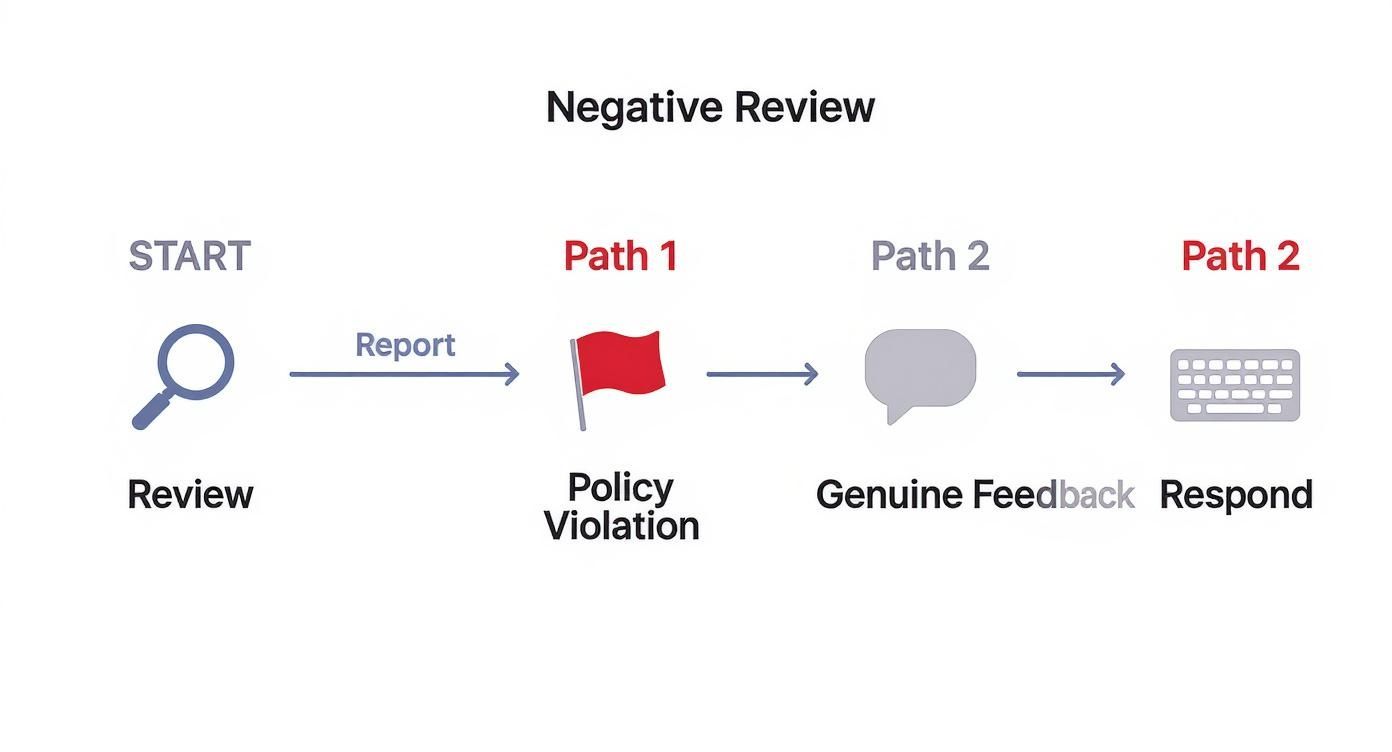
As this flowchart shows, your path forward splits right at the beginning. Does it violate policy, or is it just an unhappy customer?
Understanding the Stakes of Facebook Reviews
Why is a clear strategy so important? Consider this: approximately 49% of U.S. internet users look at Facebook reviews before choosing a local business. A third of users worldwide turn to the platform specifically for recommendations and reviews. Every star and every comment carries real weight. If you're not actively managing your reviews, you're essentially ignoring a huge chunk of your potential client base.
Your response to a negative review is often more important than the review itself. Potential customers are watching, and how you handle criticism says more about your business than a single one-star rating ever could.
Ultimately, your goal is to sort reviews into two buckets: the ones you can get removed and the ones you have to manage. Reviews with hate speech, spam, or personal attacks go into the first bucket. Legitimate complaints about your service or pricing go into the second.
For those you have to manage, you'll need a solid response strategy. Our guide on https://levelfield.io/blog/how-to-deal-with-bad-reviews offers a much deeper dive into crafting the right replies. Taking a moment to categorize the review first saves you a ton of time and ensures you use the right tool for the job.
Reporting Illegitimate Reviews to Meta
When you've pinpointed a review that’s clearly fake, spam, or abusive, your next move is to report it directly to Meta. This is your first and most direct path to getting harmful content taken down. It might seem like a simple click-and-report process, but how you frame your report can make all the difference. You aren't just flagging something; you're building a case.
Think of it this way: Meta’s moderators are sifting through millions of reports every day. Your job is to make theirs easy by presenting a clear, factual, and undeniable breach of their policies. Vague complaints just get lost in the noise.
Navigating the Reporting Process
First, find the review in question on your Page. Look for the three-dot menu icon (...) right next to the reviewer’s name and rating. Clicking it will pop up a menu.
From there, you’ll select "Find support or report recommendation."
This opens a new window where Facebook asks you to categorize the problem. The choices you see are tied directly to Meta's Community Standards.
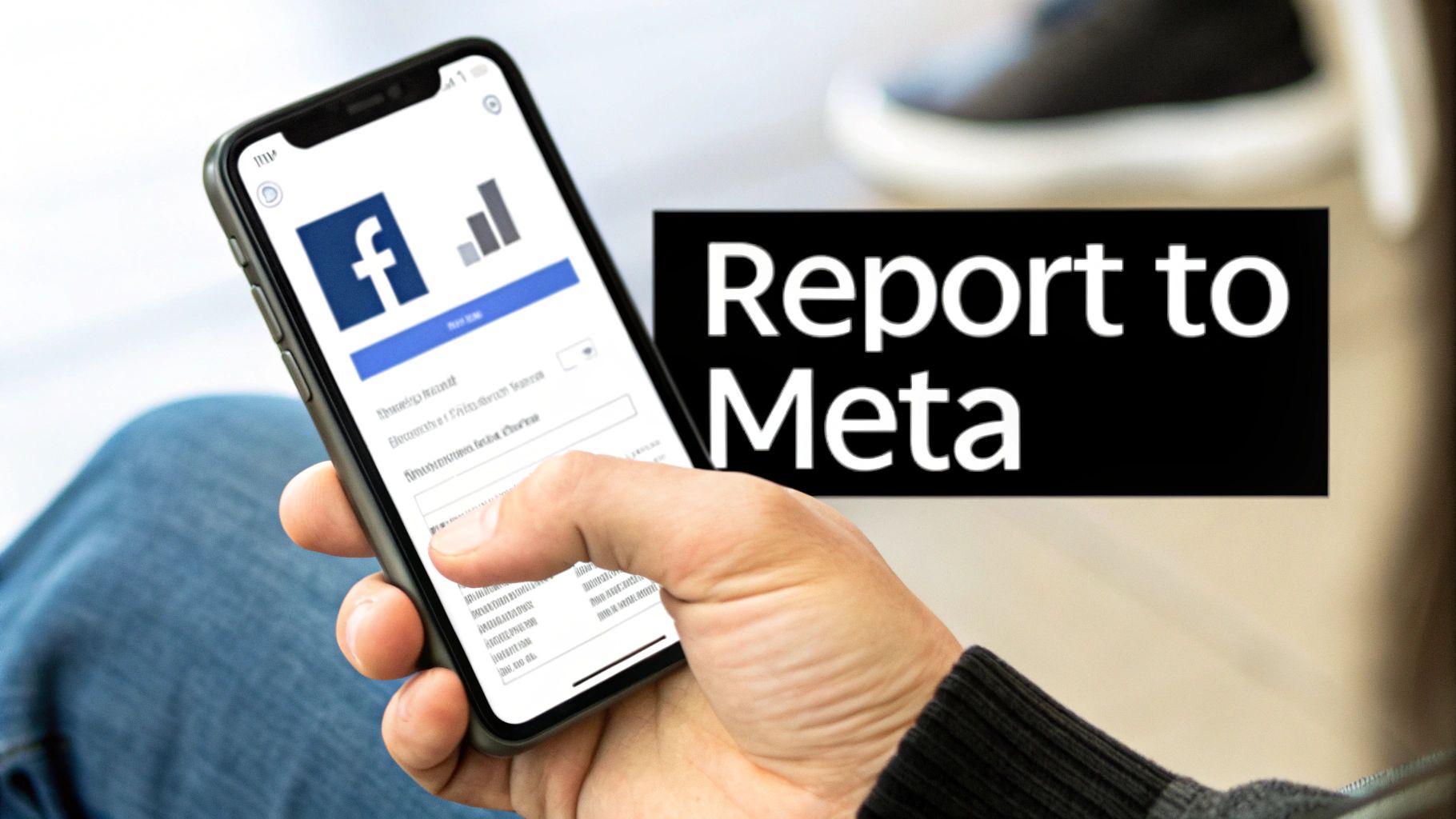
This initial selection is critical. It routes your report to the right internal team, so getting it right from the start seriously boosts your chances of a successful takedown.
Building a Strong Case for Removal
Choosing the right violation category is half the battle. Here are the most common and effective reasons to use when reporting a review:
- Spam: This is your go-to for reviews that are obviously commercial, repetitive, or posted in bulk. A classic example is a review that’s just a sales pitch for another business or a "get rich quick" scam.
- Hate Speech: Select this for any review attacking people based on race, ethnicity, religion, sexual orientation, disability, or other protected characteristics. There is zero tolerance for this.
- Harassment: This category covers bullying, personal attacks, and threats aimed at you or your team. If a review names an employee and personally attacks them, this is the one to use.
- Fraud or Scam: Use this if the review is part of a deceptive scheme. For instance, a competitor trying to tank your rating with a barrage of fake negative feedback falls squarely into this bucket.
Pro Tip: Stick to the facts. Ditch the emotion. Instead of writing, "This person is a liar and is trying to ruin my business," lay out the evidence: "This user profile was created yesterday, has no friends, and has posted identical one-star reviews for five other local businesses in the last hour. This is coordinated spam."
This evidence-based approach gives the moderator a clear, verifiable reason to act. The more proof you provide, the stronger your case for a facebook reviews remove action becomes.
What Happens After You Report a Review
Once submitted, your report joins a queue for Meta's content moderation team. The turnaround time can be anything from a few hours to several weeks, really depending on the violation's severity and the current volume of reports they're handling.
You can track your report's status by checking your Support Inbox, which you'll find in your Page’s settings. This is where you’ll see all your active reports and Meta’s decisions. If they agree with you, you’ll get a notification that the review was removed. If not, you’ll be told it doesn't violate their Community Standards.
It's important to remember the scale Meta is operating on. Back in 2019, Facebook removed an incredible 2.2 billion fake profiles in a single quarter. This highlights the massive, ongoing effort to fight the kind of inauthentic activity that often spawns fake reviews. You can read the full research about these platform integrity efforts and their impact on content authenticity.
Don't get discouraged if your first report is denied. In the next section, we’ll dive into what to do when Meta says no, including how to appeal and escalate your case. Reporting is just your first line of defense—not your only one.
What to Do When Meta Denies Your Report
It's one of the most frustrating things that can happen. You report a review that is a blatant violation of Facebook's rules, only to get that generic notification: "This review doesn't violate our Community Standards."
Don't give up. This is a common hurdle, but it's far from the end of the road.
Think of that initial report as a first-pass, often handled by an algorithm or a less-experienced moderator. A denial just means it's time to build a stronger case and get it in front of a real person who can understand the context. This is where your persistence and documentation really start to matter.
Appeal the Decision Through Your Support Inbox
Your first move after a denial is to appeal. You can usually find this option right in the notification you received in your Support Inbox. This is your chance to add the context and evidence that the first review missed. Simply resubmitting the same complaint won't cut it.
You need to build a compelling argument that clearly connects the dots for the moderator. Show them exactly which policy is being violated and how.
Here’s how to gather the evidence you'll need:
- Screenshot the Review: Get a full-screen capture showing the review text, the reviewer's name, and the date it was posted.
- Investigate the Reviewer's Profile: Look for red flags. Is the profile brand new? Does it have a generic photo or no photo at all? Zero friends? A history of leaving similar reviews for other businesses? Screenshot everything that looks suspicious.
- Create a Clear Timeline: If you're dealing with a coordinated attack, map it out. For example: "On October 26th, between 2:00 PM and 3:00 PM, we received four one-star reviews from newly created profiles with no friends."
Presenting this information methodically turns your complaint into a well-documented case of platform manipulation. It proves you've done your homework. This level of detail is crucial on any platform; for example, our guide on how to get a review removed from Google also highlights the power of thorough documentation.
Escalate Through Meta Business Support
If the standard appeal process hits a wall, your next stop is Meta Business Support. This channel is typically open to businesses with an active ad account and offers a more direct line to support agents who can dig deeper into your issue.
Navigate to the Meta Business Help Center and find the option to chat or email with a representative. Once you're connected, have your case file ready. Reference your initial report number and lay out all the evidence you’ve gathered.
Treat your interaction with Business Support like you're presenting a case. Lead with a clear summary: "We're requesting the removal of a review that violates your spam policy. The reviewer's account was created minutes before posting and has no other activity." Then, attach your screenshots and timeline as proof.
This direct, human-to-human interaction can often break through the bureaucratic logjam. While Meta's enforcement is getting better—they've reported a 50% reduction in enforcement mistakes—automated systems still miss the mark. A conversation with a live agent is your best shot at getting those errors corrected.
File a Formal Legal Report
For more severe situations, like when a review infringes on your legal rights, Meta provides formal legal reporting tools. This is a much more serious step and is reserved for specific violations. This isn't just flagging content; it's a formal declaration that the content is unlawful.
Common grounds for a legal takedown request include:
- Copyright Infringement: The review uses your copyrighted photos, text, or videos without permission.
- Trademark Infringement: The reviewer misuses your registered business name or logo in a confusing or deceptive way.
- Defamation: The review contains verifiably false statements of fact (not just opinions) that damage your business's reputation.
Filing a legal report requires specific documentation, like trademark registration numbers or a detailed breakdown of why the content is defamatory. Given the legal complexities, this is often the point where businesses choose to work with a professional service like LevelField to ensure the claim is filed correctly and has the best chance of success.
Managing the Reviews You Cannot Remove
Let's face it, you're not going to get every negative review taken down. In fact, most legitimate customer complaints are there to stay. This is where the strategy shifts from removal to skillful reputation management. A thoughtful, public response can completely defuse a negative review and, believe it or not, actually win over prospective customers who are watching how you handle criticism.
Instead of seeing a bad review as a black mark, think of it as a public stage for your customer service. The data backs this up: studies show that 7 out of 10 people have changed their opinion about a brand for the better after seeing the company respond to a review. Your reply isn't just for the unhappy customer; it's for everyone else silently reading along.

Crafting the Right Public Response
A generic, copy-and-paste apology just won't do. Your response needs to feel authentic, professional, and empathetic. Speed matters, too—replying within 24 hours shows you're paying attention and take feedback seriously. This simple act can often stop a bad situation from spiraling.
The real goal here is to acknowledge the person's experience, show some genuine empathy, and then quickly move the conversation offline to sort out the details. This protects the customer's privacy and keeps you from getting stuck in a lengthy, public back-and-forth debate.
Here’s a solid game plan to follow:
- Acknowledge and Apologize: Always start by thanking them for the feedback and apologizing for their poor experience. You're not necessarily admitting legal fault; you're just validating their feelings.
- Take Ownership: Use phrases like "we're sorry we fell short" to show accountability. It goes a long way.
- Offer an Offline Solution: Provide a direct phone number or email address and invite them to connect. This demonstrates a real commitment to making things right.
Whatever you do, never get into a public argument. A defensive or emotional reply will only make your business look unprofessional and prove the customer's point to every other potential client who sees it. Keep your cool and keep it constructive.
Responding well means tailoring your reply to the specific situation. The table below offers a few starting points—think of them as frameworks, not rigid scripts—to help you craft the right response for your brand's voice.
How to Respond to Different Types of Negative Reviews
| The Scenario | What to Include in Your Response | The Right Tone to Use | Example Response Snippet |
|---|---|---|---|
| The Factually Incorrect Review | Gently correct the misinformation without being accusatory. Apologize for the confusion and offer to clarify. | Helpful and informative, not confrontational. | "Thank you for sharing this. It sounds like there may have been some confusion about our service hours, and we apologize for any inconvenience. We'd love to clarify this for you." |
| The Genuinely Upset Customer | Express sincere empathy for their poor experience. Acknowledge their frustration and take immediate ownership. | Empathetic and apologetic. | "We are so sorry to hear your experience did not meet your expectations. This is not the standard we aim for, and we appreciate you bringing this to our attention." |
| The Vague One-Star Review | Acknowledge the rating and express a desire to learn more. Show that you value all feedback, even when it's brief. | Proactive and concerned. | "We're sorry to see you had a one-star experience with us. We are always looking for ways to improve and would appreciate the opportunity to learn more about what happened." |
These frameworks help you maintain a professional and empathetic front, turning a potentially damaging review into a showcase of your commitment to customer satisfaction.
Burying Bad Reviews with Good Ones
Responding is a reactive tactic, but the best long-term strategy is always proactive. The ultimate goal is to "bury" that occasional negative review under a fresh, steady stream of positive ones. A single one-star review loses its sting when it's surrounded by dozens of four- and five-star ratings.
You need to get into the habit of actively encouraging your satisfied clients and patients to share their feedback. Timing is everything. Ask for a review right after a successful outcome or a positive interaction, while the great experience is still fresh in their mind.
Here are a few simple ways to do it:
- Send an email follow-up with a direct link to your Facebook Reviews tab.
- Put up a small, friendly sign in your office or at your checkout counter.
- At the end of a great client call, just ask!
This consistent flow of positive feedback naturally dilutes the impact of any single negative comment. Over time, you build a powerful wall of social proof that truly reflects the quality of your practice or business, making you resilient to the inevitable bad day. This is the cornerstone of effective, long-term reputation management.
When It’s Time to Hide All Your Facebook Reviews
Look, sometimes you’re not just dealing with a stray bad review. You’re facing a full-blown assault.
Imagine waking up to a coordinated attack—dozens of one-star reviews flooding your page overnight from people you've never served. Or maybe a PR nightmare, totally unrelated to your service quality, has turned your Facebook page into a public forum for outrage. In these situations, trying to manage reviews one by one is like trying to put out a forest fire with a water pistol.
This is the moment to consider the "nuclear option": hiding your entire Reviews tab. It's a drastic measure, for sure, but in certain high-stakes scenarios, it’s the only way to stop the bleeding and take back control.
The Strategic Value of Going Dark
Disabling reviews instantly makes them disappear from public view. Every single rating—the good, the bad, and the ugly—vanishes from your Page. This gives you immediate relief from an ongoing attack, buying you precious time to figure out what’s happening, report the fake accounts, and plan your counter-strategy without the public pressure of a nosediving star rating.
This is a tactic I only recommend for true emergencies, like:
- A Coordinated Smear Campaign: A competitor or a disgruntled individual is systematically flooding your page with fake, malicious reviews.
- A Viral PR Crisis: Your business gets swept up in a public controversy, and your reviews become a battleground for people who have never set foot in your door.
- Widespread Misinformation: A false rumor about your business goes viral, leading to an avalanche of negative reviews based on a lie.
In these cases, your top priority is damage control. Hiding the tab yanks away the public stage the attackers are using to harm your reputation.
How to Disable Your Facebook Reviews Tab
Thankfully, the process itself is simple. Facebook has rebranded them as "Recommendations," but the function is the same.
- Head over to your business's Facebook Page (you’ll need to be an admin).
- In the menu on the left, find and click Settings.
- Next, choose Privacy, and then select Page and Tagging.
- You'll see a setting that says, "Allow others to view and leave reviews on your Page."
- Just toggle this switch to the Off position.
That's it. The moment you flip that switch, your entire Reviews (or Recommendations) section is gone from public view. You can always follow the same steps to turn it back on later.
Hiding your reviews is a powerful but blunt instrument. It stops the immediate attack but also erases all the positive social proof you've worked so hard to build. Think of it as a temporary shield, not a permanent wall.
Weighing the Pros and Cons
This isn't a decision you should make on a whim. While hiding reviews provides a quick fix, it has some serious downsides that can hurt your credibility down the road. You need to weigh the trade-offs carefully.
Potential Benefits:
- Immediate Damage Control: You instantly halt the attack and stop your overall rating from sinking further.
- Buys You Time: It creates a quiet space to strategize without the constant barrage of new negative reviews.
- Reduces Public Visibility: It shuts down the platform an online mob is using to amplify their outrage.
Significant Drawbacks:
- Loss of Social Proof: All your glowing five-star reviews disappear along with the bad ones, erasing powerful testimonials.
- Looks Suspicious: Potential customers who are doing their research might notice the missing Reviews tab and wonder what you’re trying to hide.
- Doesn't Solve the Root Problem: It’s a band-aid. It doesn't actually address the underlying issue or get the fake reviews removed from Facebook's system.
Ultimately, disabling reviews should be a short-term tactical retreat, not a long-term strategy. The goal is to use this quiet period to work on a permanent facebook reviews remove solution. This might involve mass-reporting the fraudulent accounts or bringing in a professional service like LevelField to manage the coordinated attack.
Once the storm has passed, your goal should be to reactivate your reviews and start the crucial work of rebuilding your positive reputation.
Common Questions About Removing Facebook Reviews
When you're dealing with a problematic review on your Facebook Page, you've probably got a lot of questions running through your mind. It can feel like a confusing and frustrating process. Let's walk through some of the most common questions business owners ask, giving you the direct answers you need to handle these situations effectively.
Can I Just Delete a Single Bad Review Myself?
This is usually the first question on everyone's mind, and the answer is a simple, straightforward no. Facebook doesn't give Page admins a button to delete individual reviews.
It’s a deliberate choice on their part. The policy is designed to maintain some level of trust and transparency, stopping businesses from just wiping away every piece of negative feedback to create a deceptively perfect online image. Your only direct options are to report a review for a policy violation or to hide the entire reviews section from your Page. If Meta agrees with your report, they'll take it down. Otherwise, it stays put.
How Long Does It Take for Facebook to Remove a Review?
The timeline here can be all over the map. For really obvious violations—think hate speech or clear spam—you might see it disappear in as little as 24 to 48 hours. Meta's automated systems and human moderators are pretty quick to act on the most toxic content.
But what about the trickier cases? A review you’re certain is fake but doesn't contain obvious profanity can take much longer. These situations often require a deeper look from Meta's team, and you could be waiting several days or even a few weeks for a decision. If you have to appeal a denied report, the clock starts over. Patience is a virtue here.
The success of your removal request often boils down to how well you build your case. A well-documented report showing exactly which policy was broken has a much better shot at a fast, positive outcome than an emotional complaint with no evidence.
Will the Reviewer Know I Reported Them?
Good news on this front: the entire reporting process is completely anonymous. The person who left the review will never get a notification saying your Page flagged their content.
If Meta does take the review down, the user gets a generic message stating their content violated Community Standards. It never mentions who reported it. This allows you to flag harassment, spam, or false information without worrying about immediate retaliation.
What if a Former Employee Leaves a Malicious Review?
This is a tough one. A nasty review from a disgruntled ex-employee often feels personal and deeply unfair, but it doesn't always break a specific Facebook rule. To give your report the best chance of success, you need to frame it correctly.
Here’s how to build a stronger case:
- Document Everything: Keep any records related to the employee's departure, especially if it was a contentious situation.
- Highlight the Conflict of Interest: In your report, be explicit. State, "This review was posted by a terminated employee and represents a clear conflict of interest, not a genuine customer experience."
- Focus on Policy Violations: Instead of just saying "this is an angry ex-employee," pinpoint specific violations. Are they making personal attacks on current staff? Are they spreading verifiably false information?
Adding this context helps a moderator see the post for what it is—a form of harassment, not legitimate feedback. If managing your online presence starts to feel like a full-time job, you're not alone. Many businesses find that outsourcing your social media marketing and reputation management to specialists is a smart move.
Should I Hire a Lawyer to Remove a Review?
Bringing in legal counsel is a serious step, and it's best reserved for the most damaging and clear-cut scenarios. The time to call a lawyer is when a review is legally defamatory. This means it contains false statements of fact—not just opinions—that cause tangible harm to your business's reputation and finances.
A lawyer can draft a cease-and-desist letter or submit a formal legal takedown request directly to Meta's legal department. It's a powerful approach, but it's also expensive and slow. For the vast majority of negative or fake reviews, your best bet is to start with Meta's reporting system or work with a specialized reputation service like LevelField.