


Let's get straight to the point: you can't just delete a Google review because you don't like it. There’s no magic button to make bad feedback disappear. But—and this is a big but—you absolutely can get reviews removed if they cross the line and violate Google's specific content policies.
This is where you can take back control.
The Hard Truth About Removing Negative Google Reviews

Most business owners think the answer to "can you remove negative Google reviews?" is a simple yes or no. The reality is far more nuanced. It all comes down to the content of the review, not the star rating. Google’s entire system is built to protect free expression, and that includes a customer’s right to share a genuinely bad experience.
A one-star review griping about slow service, a faulty product, or a mix-up in communication is almost certainly staying put. As frustrating as that feedback is, it’s considered legitimate criticism. It’s a genuine account of a customer's experience, which is precisely what the review platform is designed for.
The secret to getting a review taken down is to stop focusing on the rating and start looking for a violation. You're not trying to argue with their opinion. Your job is to prove that the way they expressed it breaks Google's rules.
Spotting The Difference: Legitimate Criticism vs. Policy Violations
Nailing this distinction is the most critical part of the process. Legitimate criticism is subjective—it’s a customer’s personal take on their experience. A policy violation, on the other hand, is objective. It contains content that Google explicitly prohibits on its platform.
Think of it this way: what crosses the line from an opinion into an attack or spam?
Here are a few red flags that scream "policy violation":
- Off-Topic Rants: The review goes off on a tangent about politics, social issues, or another business entirely. It has nothing to do with their actual experience with you.
- Conflicts of Interest: The review is from a bitter ex-employee, a competitor trying to sabotage your rating, or someone who was paid to leave a fake review.
- Harassment or Hate Speech: The content gets personal with threats, profanity, or discriminatory language aimed at you or your staff.
- Spam or Fake Content: It's a generic, bot-written comment, or it’s stuffed with promotional links that have zero relevance to your business.
A review saying, "The service was slow and my order was incorrect," is legitimate criticism. But a review saying, "The manager John Doe is a terrible person, and you should visit my business instead at [link]," is a textbook policy violation.
To help you quickly figure out if you have a case, I've put together a simple checklist. Use it to see if a review is just unhappy feedback or something you can actually flag for removal.
Review Removal Checklist: Can You Take Action?
This table will help you quickly determine if a negative review is a candidate for removal by comparing the characteristics of legitimate criticism against policy-violating content.
| Characteristic | Legitimate Criticism (Cannot Be Removed) | Policy Violation (Can Be Flagged For Removal) |
|---|---|---|
| Content Focus | Describes a personal customer service experience (e.g., "The wait time was too long."). | Contains personal attacks, profanity, or is completely off-topic. |
| Reviewer Identity | A real customer sharing their honest, albeit negative, opinion. | A competitor, former employee, or a profile with no other review history. |
| Factual Basis | Based on the customer's perception of an event, even if you disagree with their interpretation. | Contains demonstrably false information or impersonates someone else. |
| Intent | To share a personal experience and provide feedback to the business and other consumers. | To mislead, harass, promote another business, or manipulate ratings. |
If the review you're dealing with falls into the "Policy Violation" column for any of these characteristics, you have a solid reason to flag it.
Understanding Google's Review Policies
To get a negative review taken down, you have to stop thinking like a frustrated business owner and start thinking like a Google policy enforcer. It’s a subtle but crucial shift. Google couldn't care less if you disagree with a customer's opinion; they only care if a review breaks one of their specific rules.
Your task is to become a bit of a detective. You need to comb through the review, looking for the specific violation that gives you grounds for removal. The more clearly a review breaks a rule, the better your odds.
Identifying Spam And Fake Content
This is probably the most common reason for flagging a review, but "I think it's fake" isn't enough. Google's spam policy targets content that’s clearly deceptive or designed to manipulate your rating—up or down.
Keep an eye out for these classic red flags:
- Repetitive Content: You see the exact same review text pop up from different accounts or on several of your business locations.
- Promotional Links: The review includes a link, especially one directing people to a competitor's website or social media.
- Gibberish or Irrelevant Text: The content is just a jumble of words or looks like it was written by a bot.
- Incentivized Reviews: You have a strong suspicion the reviewer was paid or offered a perk to post it. This is a direct violation.
A vague comment like "This place is terrible" is tough to fight. But a review that says, "This place is terrible, you should go to [Competitor's Business] instead, here's their website"—that’s a slam-dunk violation you can report immediately.
Uncovering Conflicts Of Interest
Google is serious about reviews being unbiased and based on a real customer experience. A conflict of interest happens when the reviewer has some kind of personal connection that taints their feedback.
These are often the most damaging and emotionally charged reviews, so it’s a critical area to investigate.
Common examples I see all the time include:
- Current or Former Employees: This is a big one. A disgruntled ex-employee using reviews as a soapbox is a clear violation. If the review mentions internal company drama or names staff in a way a customer wouldn't, you have a strong case.
- Competitors: Someone who owns or works for a rival business leaves you a one-star review. It happens more than you'd think. This usually requires you to provide some context in your appeal to connect the dots for Google.
- Family Members: These are harder to prove, but a suspiciously glowing five-star review from your cousin or a nasty one-star from a competitor's relative can fall into this category.
Evidence is everything here. If you can connect the reviewer’s name to an old HR file, you're in a great position to get the review removed.
Google's moderation efforts are staggering. They publicly reported removing over 170 million policy-violating reviews in 2023 alone. What’s interesting is that a deep dive into the data shows a huge number of these are actually fake 5-star reviews. It seems the algorithms are working overtime to root out phony positive engagement. You can read more about these review removal trends for more context.
Recognizing Harassment And Hate Speech
This is where the line is brightest. Google has a zero-tolerance policy for reviews that go beyond criticism and become personal attacks or discriminatory rants. These are often the easiest to get taken down.
This category covers any content that is:
- Personally Threatening: The review includes any kind of threat against you or your team.
- Abusive or Obscene: It’s filled with profanity, vulgarity, or personal insults aimed at an individual.
- Discriminatory: The text targets someone based on their race, religion, gender, sexual orientation, or any other protected status.
A review saying "The service was slow" is just an opinion. But a review using a racial slur to describe a server is an immediate, clear-cut violation of the hate speech policy.
Pinpointing Off-Topic And Irrelevant Content
At the end of the day, a Google review is supposed to be about a customer's experience with your business at your location. When a review spirals into a rant about something else entirely, it becomes off-topic and removable.
Be on the lookout for reviews that focus on:
- Political or Social Commentary: The review is just a platform for the user’s opinions on current events that have nothing to do with you.
- General Rants: The person is complaining about your industry, local pricing, or something else completely out of your control.
- Wrong Business: The review is obviously for another company, maybe one with a similar name or located nearby.
If a one-star review complains about the lack of public street parking or a recent city council decision, it's not a legitimate reflection of your business. Flagging it as off-topic is the right move. Once you get the hang of these categories, you'll be able to assess every bad review with a clear, strategic eye.
How To Flag And Escalate A Review For Removal
Alright, so now you know how to spot a review that breaks the rules. That's the first hurdle. But knowing it’s a violation doesn’t make it disappear—you have to actually navigate Google's reporting system. It’s not overly complicated, but you do need to be precise and, frankly, a little patient.
I always tell clients to think of it as a two-stage process. The first part is the initial flag, which is your opening shot. If that doesn't get the job done, you move on to the second stage: a formal escalation. Let’s walk through how to handle each one to give you the best possible shot at success.
The Initial Flag: Your First Line Of Defense
The very first thing you should always do is "flag" the review. This sends up a flare to Google's moderation team, which is a mix of automated systems and real people, letting them know you believe a piece of content is out of line.
You can do this in a couple of ways. The most common is right from your Google Business Profile (GBP) dashboard. Log in, head over to the "Reviews" section, find the one you want to report, and click the three-dot menu. You'll see an option for "Report review."
You can also do it publicly from Google Maps. Just search for your business, find the review, and click the same three-dot menu to report it. Either way works, but I find most business owners prefer using the dashboard because it feels a bit more direct.
Pro Tip: When you report the review, Google will give you a list of reasons like "Hate speech," "Spam," or "Conflict of interest." Here's the key: pick the single most accurate violation. Don't check multiple boxes thinking it strengthens your case; it often just confuses the system. Be specific.
Tracking Your Request In The Review Management Tool
Once you've flagged it, the waiting begins. It used to be a total black box—you’d submit a report and just hope for the best. Thankfully, Google has gotten much better about this with its Review Management Tool.
This tool is your dashboard for all things related to review removal. It’s where you can:
- See a list of every review you've recently reported.
- Check the status of each request ("Decision pending," "Report reviewed - no policy violation found," etc.).
- Launch an appeal if your first attempt gets denied.
Just go to the Review Management Tool page while you're signed into your GBP account. It gives you a clear picture of what’s going on so you aren't left in the dark. I recommend checking it every few days after you flag something.
When The First Attempt Fails: The Escalation Process
Don't be surprised if your initial flag is denied. It happens all the time. The automated filters can easily miss the nuance of a situation, or a human reviewer might just make a quick judgment call. This is where most people give up, but it’s exactly when you need to push forward with a formal appeal.
The appeal is your chance to make a more detailed case directly to a real person at Google. If the Review Management Tool says your request was denied, you'll often see an option to "Appeal." This is where you get to provide the context the first flag didn't allow for.
You'll get a small text box to plead your case. Keep it concise, but be specific. Reference the exact policy you believe was violated and briefly explain why. For a much deeper dive into this part of the process, our guide on how to report fake Google reviews covers more advanced tactics.
Gathering And Presenting Your Evidence
This is where the magic happens. An appeal without proof is just you complaining. A strong appeal is a concise, evidence-based argument that makes it easy for Google to side with you.
Here’s a quick checklist of the kind of proof that really moves the needle:
- For Conflicts of Interest: Suspect an ex-employee? Provide their name and their employment dates. You don't need to upload their W-2, but just connecting the dots helps immensely. For example: "This review was left by Jane Doe, a former staff member terminated on [Date]."
- For Off-Topic Rants: Screenshot the review and highlight the parts that have nothing to do with your business. In your appeal, you can say, "The review focuses on local politics and is not relevant to a customer experience at our shop."
- For Harassment: Screenshots are your best friend here, especially if you look at the reviewer's public profile and see they have a history of leaving similar nasty comments for other businesses.
- For Impersonation or Fake Accounts: If the reviewer's name is "A Google User" or something obviously fake, point that out. Mention if they have no other review history, as this is a common red flag for a spam account.
When you present this, stay professional. Stick to the facts. The goal is to make it incredibly easy for the Google employee on the other end to see the violation and agree with you.
| Evidence Type | Best For Proving | Example |
|---|---|---|
| Screenshots | Off-Topic, Harassment, Spam | A screenshot of the review with the offending text clearly highlighted. |
| Customer Records | Not a Real Customer | "We have no record of a customer named John Smith on or around the date of this review." |
| Employee Records | Conflict of Interest | "The reviewer's name matches a former employee who worked here from [Date] to [Date]." |
| Reviewer's Profile | Spam, Fake Account | "This user has left 10 identical one-star reviews for other local businesses in the past 24 hours." |
A well-documented appeal is your best weapon when you're trying to figure out how to solve the problem of can you remove negative google reviews that are genuinely hurting your business.
What To Do When Google Says "No"
It’s a tough pill to swallow, but sometimes Google just won't remove a review, even if you feel it’s unfair. But getting a "no" isn't the end of the story. It simply means it's time to pivot from removal to damage control.
When the review is there to stay, you have to shift your focus to the things you can control. And the most powerful tool in your arsenal is your public response.
Turn Your Response Into a Reputation-Builder
Think of your reply as more than just a comment—it's a mini-billboard for your customer service. The goal isn’t always to win back the unhappy reviewer (though it’s a nice bonus). The real audience is every potential customer who will read that review later.
A thoughtful, professional response can completely defang a one-star review. Research shows that a staggering 98% of consumers read online reviews for local businesses. When they see a business owner who handles criticism with grace and a genuine desire to make things right, it builds a massive amount of trust.
Here’s how to approach it:
- Acknowledge and Apologize: Always start by thanking them for their feedback, even if it’s harsh. A simple, "We're sorry your experience didn't meet your expectations," goes a long way. No excuses, no defensiveness.
- Show You Understand: Use phrases that convey empathy, like, "I can see why that would be frustrating," or "That's definitely not the standard we hold ourselves to."
- Move the Conversation Offline: Offer a direct line to a real person—a manager's name, email, or direct phone number—to resolve the issue privately. This proves you’re serious about a solution, not just performing for an audience.
Crafting the perfect reply is an art. For a deeper dive, with specific examples and templates for different situations, check out our complete guide on how to respond to negative Google reviews.
Drown Out the Negative with a Flood of Positives
After you’ve posted your reply, the next move is to bury that bad review. The best way to shrink its impact is to surround it with a whole lot of new, positive feedback. This isn't about gaming the system; it's about systematically encouraging your genuinely happy customers to speak up.
The truth is, most of your customers are likely satisfied, but satisfied people are often quiet. You just need to give them a gentle, well-timed nudge. A single bad review looks glaring on a profile with only 10 reviews. On a profile with 200 glowing ones? It becomes a barely noticeable blip.
Simple, Ethical Ways to Get More Reviews
You don't need a complicated system to start getting more feedback. Small, consistent actions can build incredible momentum, pushing that negative review further down the page until it's out of sight and out of mind.
Try putting these simple strategies into practice:
- Ask at the Peak of Happiness: The absolute best time to ask is right after a great experience—the moment a client praises your work, a customer makes a repeat purchase, or you've just solved a problem for them.
- Make It Effortless: Don't just say, “Leave us a review!” People are busy. Give them a direct link that takes them straight to the review form on your Google Business Profile. You can grab this link right from your GBP dashboard.
- Use Every Touchpoint: Put that review link everywhere. Add it to your email signature, print it on your invoices and receipts, and feature it on your website's "Thank You" page after a purchase.
A crucial reminder: Google's policies are crystal clear about not offering incentives for reviews. Never offer a discount, gift card, or any freebie in exchange for a review. You're aiming for authentic social proof, not coerced praise.
By combining a masterful response with a proactive review generation strategy, you reclaim control of your online narrative. You might not be able to delete every bad review, but you can absolutely neutralize its power.
Why Some Reviews Get Removed and Others Don't
If you want to get a negative review taken down, you have to start thinking like Google. It’s not always about a clear-cut policy violation; sometimes, it's about patterns and signals that make a review look suspicious to Google's moderation team and their automated systems.
Understanding these subtle clues is what separates a successful removal request from a failed one. It's about learning to spot the weak links—the reviews that are most likely to be flagged and removed—and building your case around them.
Red Flags That Scream "Fake Review"
You know the type. Some reviews just feel off. That gut feeling is often right, and it's usually backed by data points that Google’s filters are specifically designed to catch.
Here are a few of the most common signs that a review is ripe for removal:
- Bare-Bones Profiles: This is the biggest giveaway. A review from "John Smith" with no profile picture and zero other contributions is immediately suspect. It suggests the account was created just to hit your business.
- A Sudden Onslaught of 1-Stars: Did you suddenly get slammed with five 1-star reviews in an hour? Especially if they come from similar-looking empty profiles, this is a strong indicator of a coordinated smear campaign, not a series of genuine customer experiences.
- Vague and Useless Feedback: Think one-star ratings with no comment, or just a lazy "terrible" or "bad service." Real, frustrated customers usually have something specific to say about what went wrong.
My Take: The more a review strays from what a normal, active Google user looks like, the more likely Google is to take a closer look. Challenging a detailed, 3-paragraph complaint from an established "Local Guide" is an uphill battle. But a single, anonymous 1-star review? That’s low-hanging fruit.
The graphic below puts this into perspective, showing how a solid review strategy involves more than just trying to delete bad feedback.
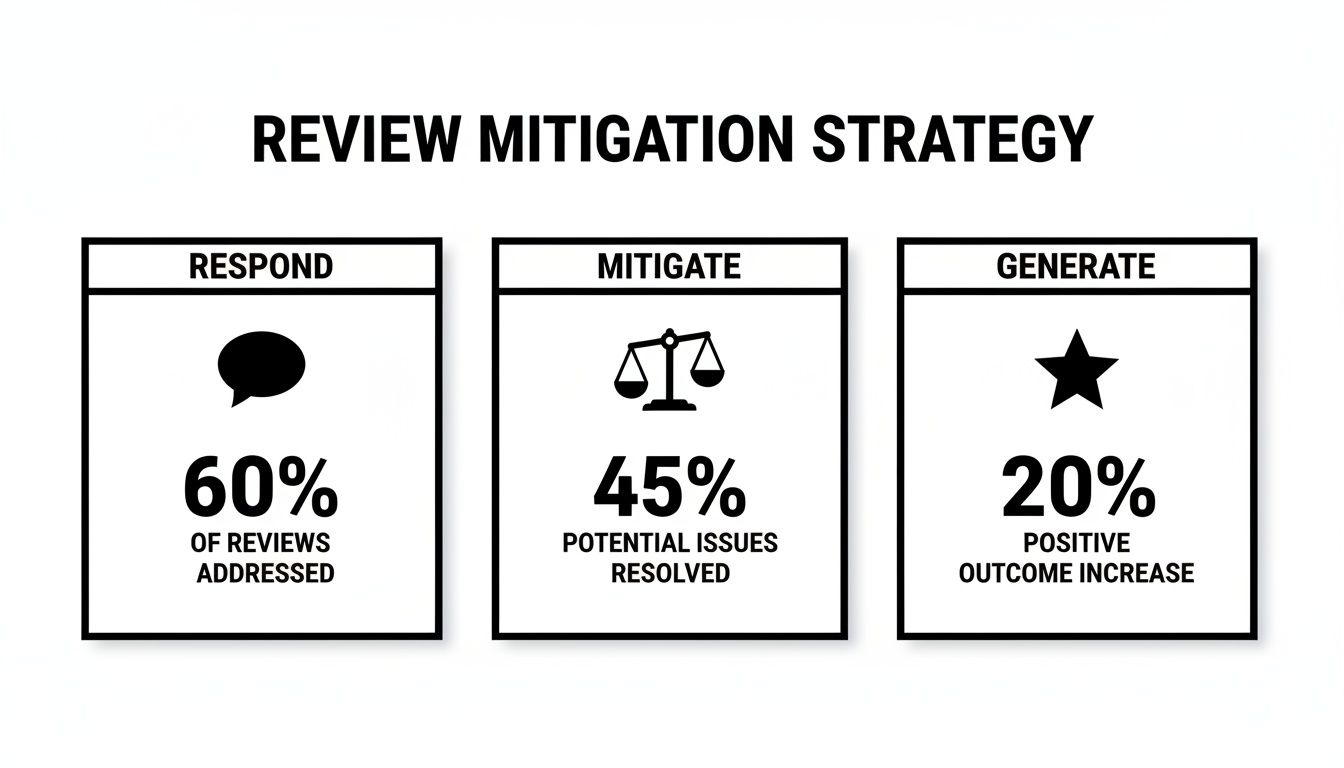
As you can see, removal is just one piece of the puzzle. Responding professionally and drowning out the negative with a steady stream of positive reviews is often the most powerful strategy.
What the Data Tells Us About Review Removals
Here’s something most people don’t realize: how you react can actually impact whether a review stays up. One study analyzing thousands of deleted reviews found something fascinating: 66.1% of the reviews that got removed had no reply from the business owner. This suggests that engaging with a review might, in some cases, signal to Google that a legitimate interaction occurred, making them less likely to remove it.
Time and content matter, too. An analysis of over 50,000 deleted reviews showed that 77.19% were visible for more than 10 days before they disappeared. Google often plays the long game, waiting to see if more data points come in before making a final call.
And here's a real shocker: the same research found that 89.6% of deleted reviews were actually 5-star reviews, most likely flagged as spam or self-promotion. The next most-removed category was 1-star reviews, which are typically taken down for policy violations like hate speech or off-topic rants. You can dig into the full dataset to learn more about trends in Google review removals.
Once you start recognizing these patterns, you can get much smarter about which reviews to fight. See a 1-star rating from a brand new, empty profile with no details? Your odds of getting it removed are pretty good. Focus your energy there.
Common Questions About Google Review Removal
Even when you know the rules, trying to get a review removed can feel like navigating a maze in the dark. I've worked with countless business owners who all seem to hit the same walls and ask the same questions. Let's clear up some of that confusion.
How Long Does It Take For Google To Remove A Review?
This is the big one, isn't it? Unfortunately, the honest answer is: it depends. After you flag a review, Google’s process can take anywhere from a few hours to a few weeks. There’s no guaranteed or official timeframe, which means you have to be patient.
In my experience, a really obvious violation—think hate speech or a clear threat—is often taken down within 48 to 72 hours. But for the trickier stuff, like a conflict of interest, it almost always takes longer. Those cases need a real person to dig in and investigate. A good rule of thumb is to give it at least two weeks before you even think about escalating the issue.
Can I Sue Someone For A Negative Google Review?
Technically, yes, you can pursue legal action for defamation. But I have to be blunt: it's a long, expensive, and brutal road. Think of it as a last resort, not your go-to strategy.
Before a court would even consider it, you’d have to prove a few critical things:
- A False Statement: The review must claim something that is demonstrably false, not just an opinion. "The service was slow" is an opinion. "They charged my credit card twice" is a statement of fact you can prove or disprove.
- Real Financial Damage: You need to show that the false statement directly cost your business money.
- The Reviewer's Identity: You have to unmask the reviewer, who is likely using a fake name. This usually means getting a court to issue a subpoena.
Honestly, for most businesses, the legal fees and time suck make a lawsuit a terrible investment. Your energy is much better spent on working within Google's system and building a stronger online reputation.
What If A Legitimate Positive Review Was Removed?
This is one of the most maddening things that can happen. Google’s spam filters are hyper-aggressive, and sometimes they get it wrong, flagging a glowing review from a real customer as fake. It’s frustrating collateral damage.
If this happens, your only real option is to contact Google Business Profile support. This is a totally different channel than the one you use for flagging bad reviews.
When you reach out, have your proof ready. Anything that shows the review came from a legitimate customer is helpful—their name, the date they visited, or even a redacted invoice. There's no guarantee they'll reinstate it, but it's the only official way to try and fix the error.
Should I Hire A Service That Guarantees Review Removal?
If a company guarantees they can remove a negative Google review, run. That's the biggest red flag in this industry. At the end of the day, Google makes the final call, and no outside service can force their hand.
Many of these shady operations use tactics that violate Google's policies, like creating fake accounts to mass-report a review. That kind of thing can get your entire Business Profile suspended. A legitimate reputation management partner, like LevelField, can guide you through the flagging and escalation process, but they will never promise a removal. A guarantee is the surest sign you're dealing with someone you can't trust.